There are no items in your cart
Add More
Add More
| Item Details | Price | ||
|---|---|---|---|

Kubernetes Core Components & Architecture Guide
Everything you need to build, run, and scale modern applications in Kubernetes. Architectural concepts, YAML manifests, and command cheat sheets.
Kubernetes (K8s) automates deployment, scaling, and management of containerized applications. It abstracts physical infrastructure into an intelligent, self-healing compute engine. The platform is composed of 10 core workload & configuration components governed by a Control Plane & Worker Node architecture.
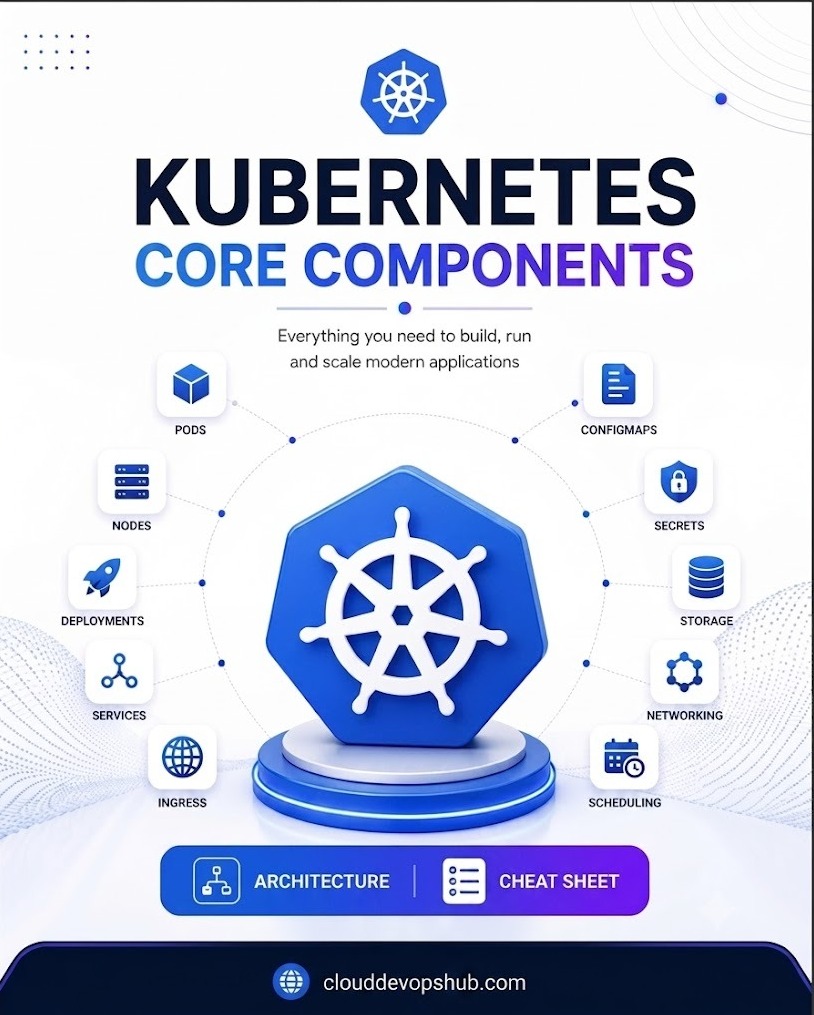
🖼️ Page 1: Kubernetes Core Components Map (Replace Image in Graphy Page Builder)
A Pod is the foundational execution unit in Kubernetes. It represents a single instance of a running process in your cluster and wraps one or more containers that share network, storage, and lifecycle specifications.
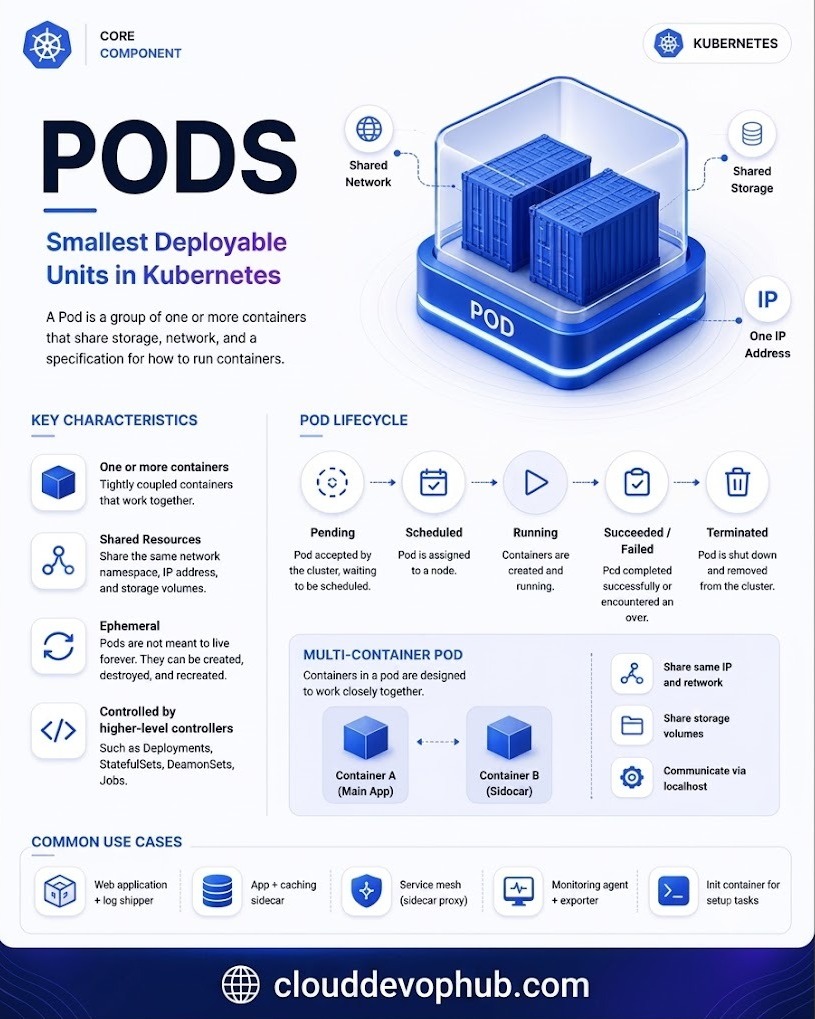
🖼️ Page 2: Pod Architecture, Shared IP/Storage & Lifecycle (Replace Image in Graphy)
A Node is a worker machine (virtual machine or physical bare-metal server) where containerized Pod workloads are scheduled and run.
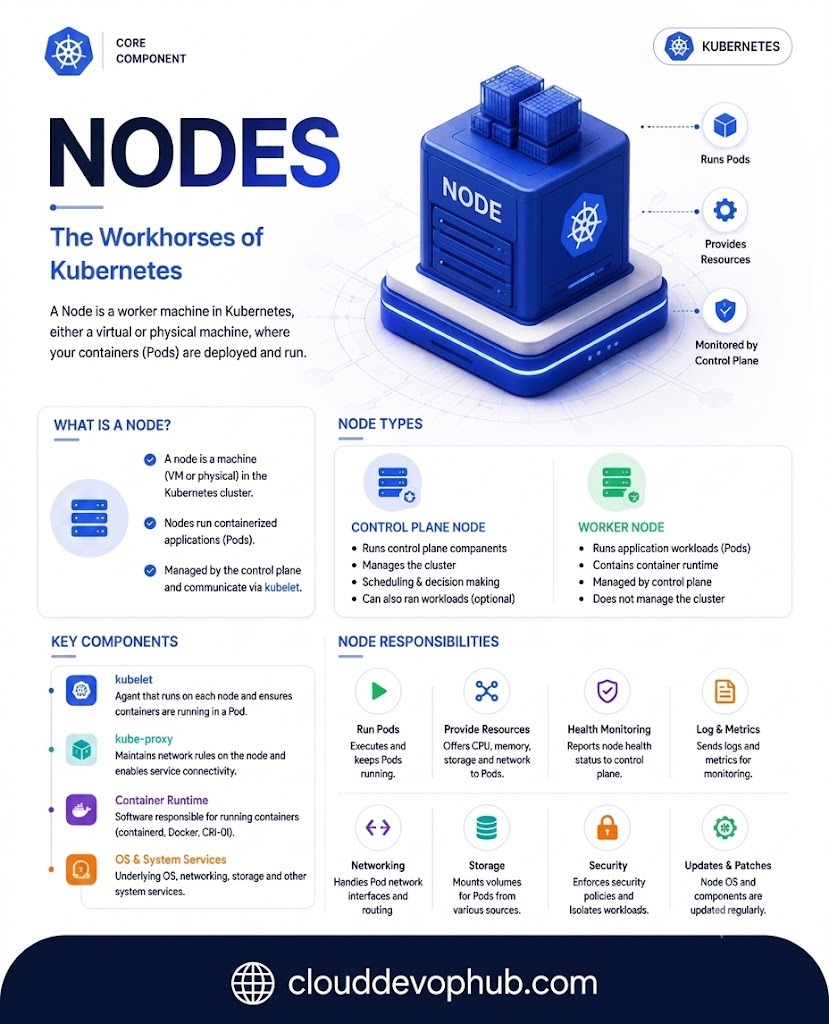
🖼️ Page 3: Node Architecture (Control Plane vs Worker Nodes) (Replace Image in Graphy)
Runs master management components (API Server, etcd, Scheduler, Controller Manager). Makes global cluster decisions and handles events.
Executes actual application Pods. Managed directly by the Control Plane and contains essential node agents (kubelet, kube-proxy, runtime).
kubelet — Primary node agent that communicates with API Server and enforces container state inside Pods.kube-proxy — Network proxy maintaining network rules on nodes and enabling Service connectivity across the cluster.containerd, CRI-O, Docker).A Deployment provides declarative updates for Pods and ReplicaSets. You describe a desired state in a Deployment YAML, and the Deployment Controller transitions the actual state to the desired state at a controlled rate.
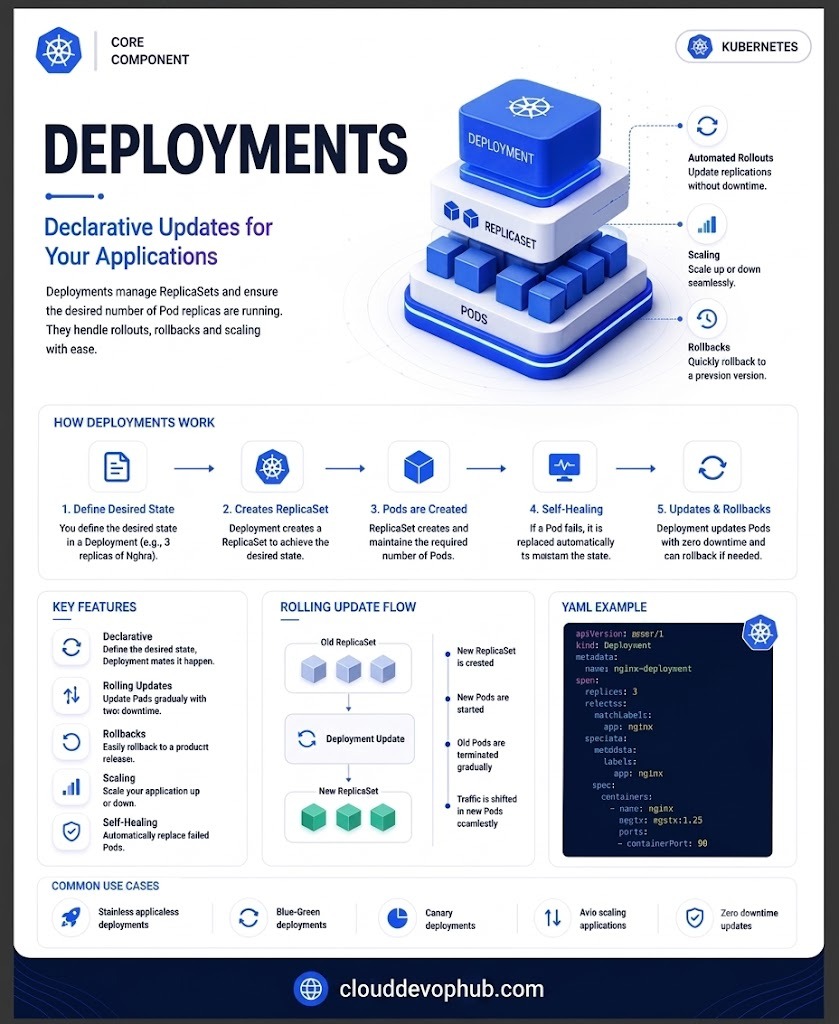
🖼️ Page 4: Deployments, ReplicaSets & Rolling Update Flow (Replace Image in Graphy)
apiVersion: apps/v1
kind: Deployment
metadata:
  name: nginx-deployment
spec:
  replicas: 3
  selector:
    matchLabels:
      app: nginx
  template:
    metadata:
      labels:
        app: nginx
    spec:
      containers:
      - name: nginx
        image: nginx:1.25
        ports:
        - containerPort: 80
Pods are ephemeral and get dynamic IP addresses assigned upon restart. A Service is an abstraction that defines a logical set of Pods and a policy to access them, providing a persistent Virtual IP (VIP) and DNS name.
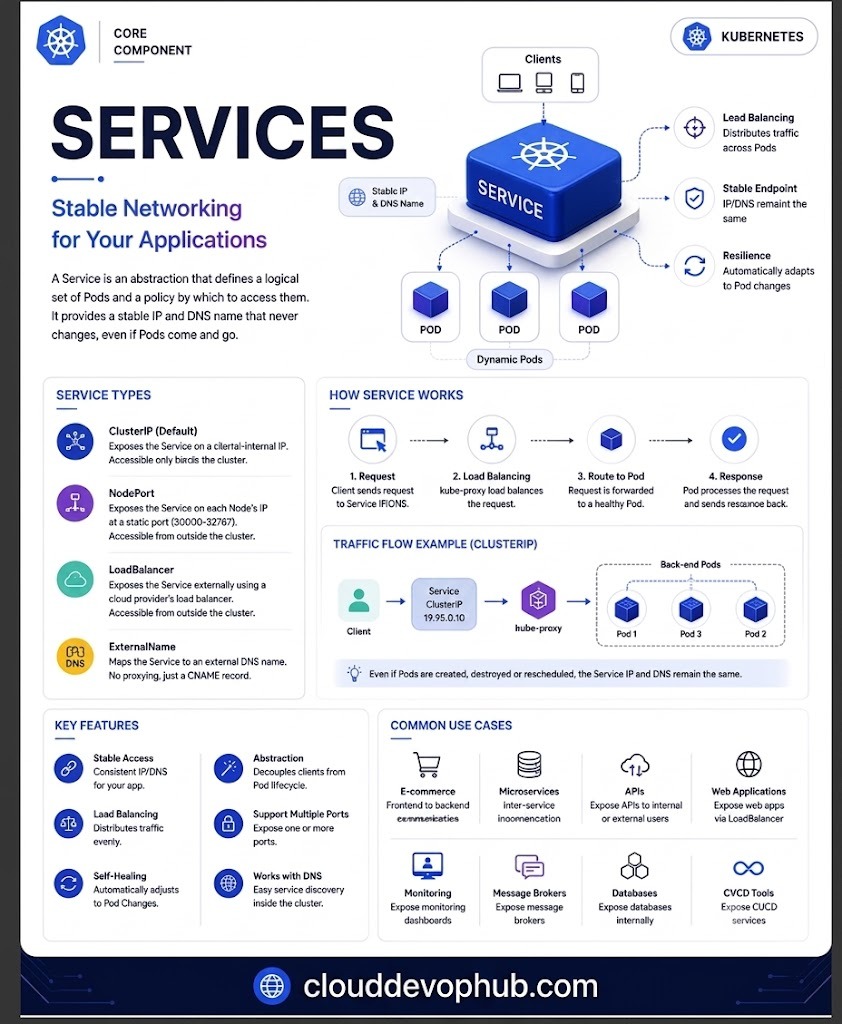
🖼️ Page 5: Service Types (ClusterIP, NodePort, LoadBalancer) (Replace Image in Graphy)
Exposes Service on an internal cluster-only IP. Reachable only within the cluster.
Exposes Service on each Node's IP at a static port (in range 30000–32767).
Exposes Service externally using a cloud provider's external load balancer.
Maps Service to external DNS name (returns CNAME record without proxying).
Ingress manages external HTTP and HTTPS access to services within a cluster. It supports path-based and host-based routing, SSL/TLS termination, and centralized load balancing under a single IP address.
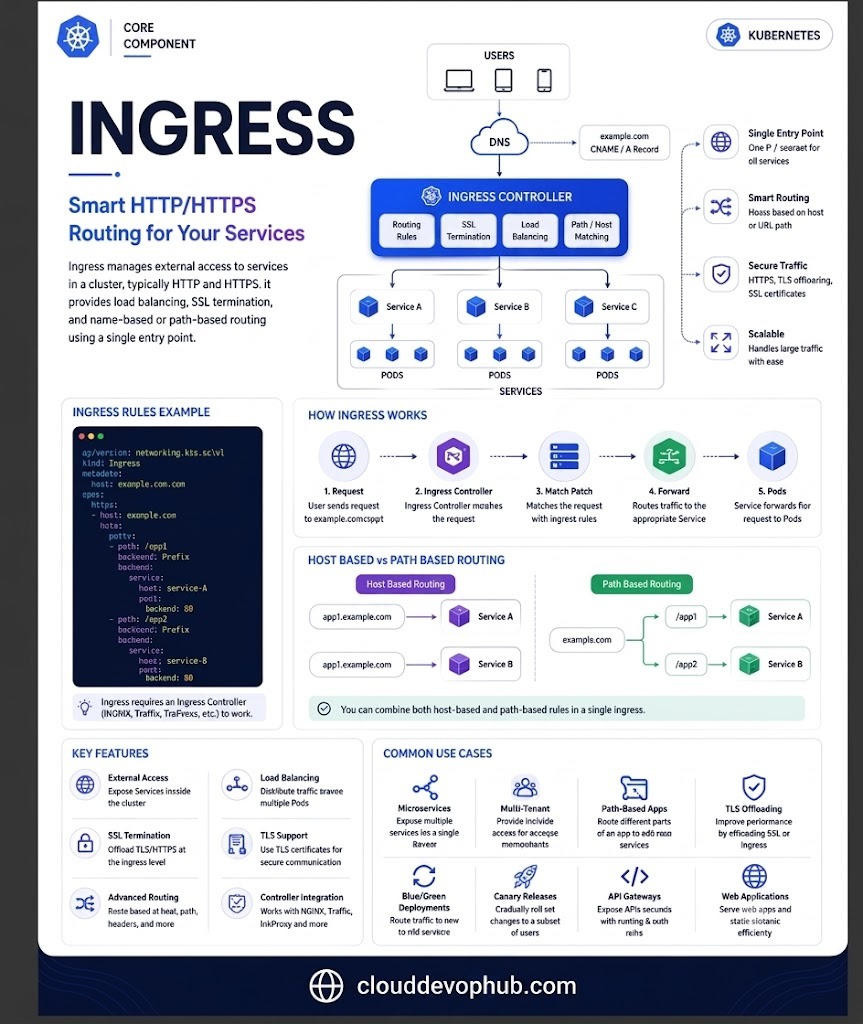
🖼️ Page 6: Ingress Controller Host & Path-Based Routing (Replace Image in Graphy)
apiVersion: networking.k8s.io/v1
kind: Ingress
metadata:
  name: example-ingress
spec:
  rules:
  - host: example.com
    http:
      paths:
      - path: /app1
        pathType: Prefix
        backend:
          service:
            name: service-a
            port:
              number: 80
      - path: /app2
        pathType: Prefix
        backend:
          service:
            name: service-b
            port:
              number: 80
Decoupling configuration artifacts from application code makes containerized workloads portable across environments (Dev, Staging, Prod).
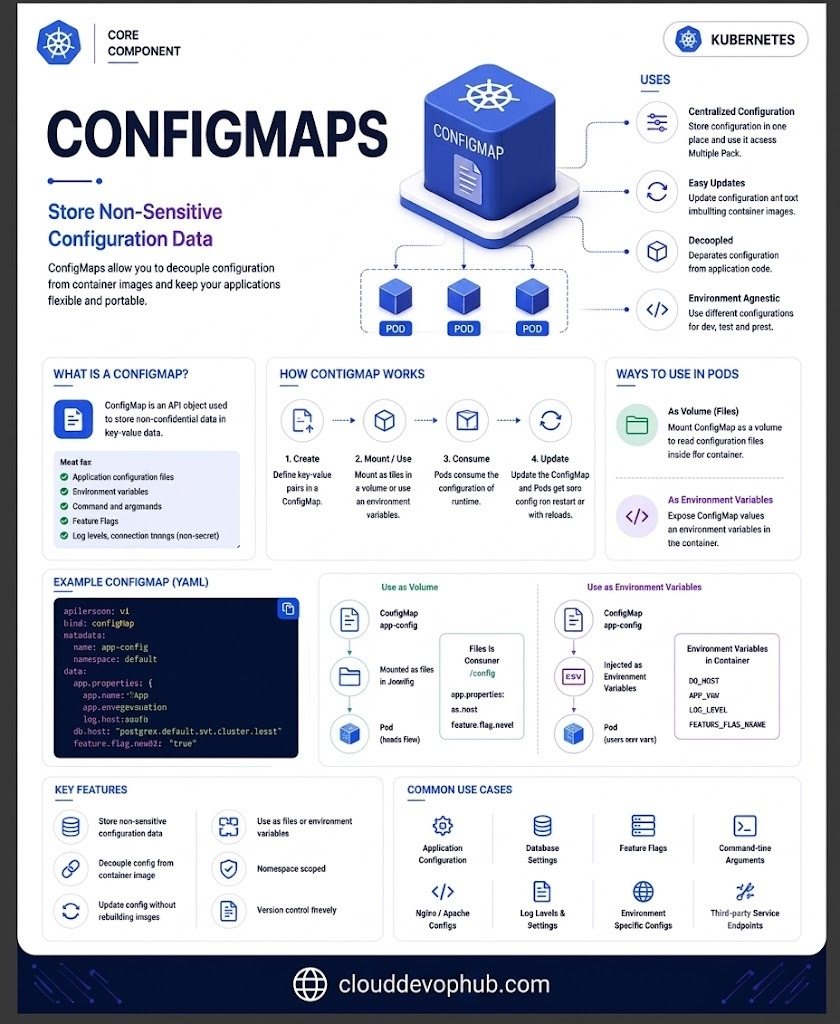
🖼️ Page 7: ConfigMaps Non-Sensitive Data Storage (Replace Image in Graphy)
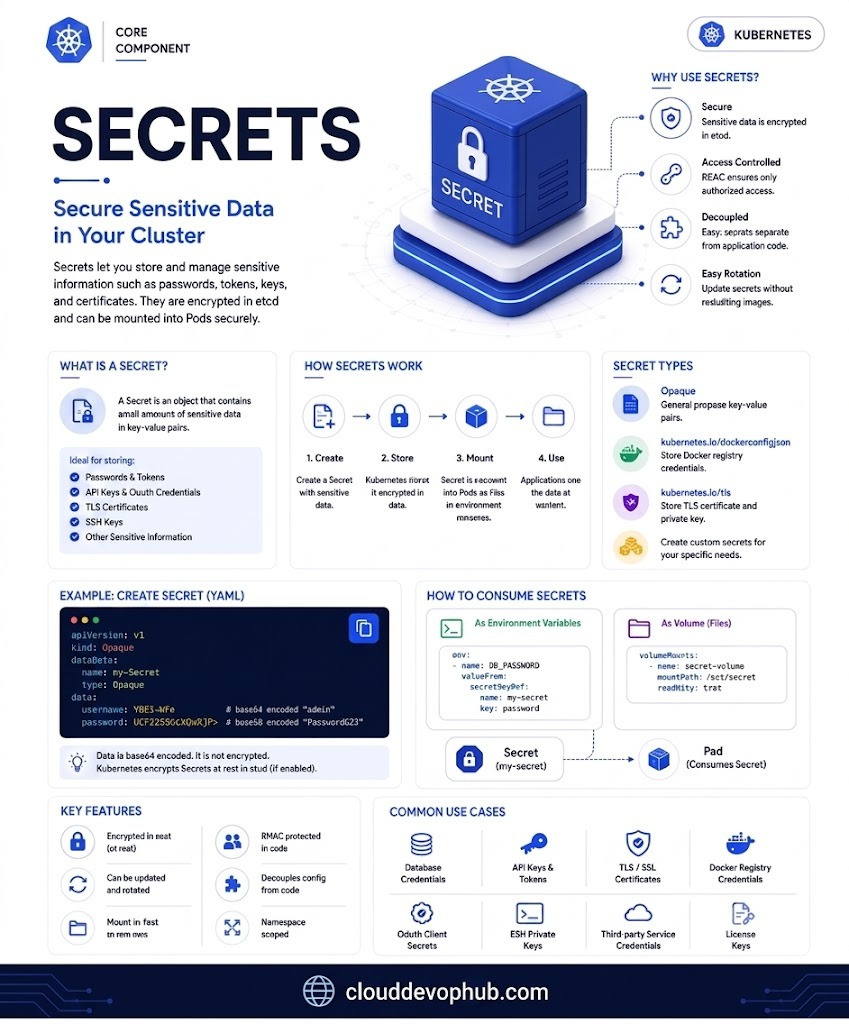
🖼️ Page 8: Secrets Encrypted Sensitive Data Storage (Replace Image in Graphy)
Stores non-sensitive configuration data in key-value pairs (e.g. database hostnames, feature flags, log levels).
Stores sensitive data (passwords, OAuth tokens, SSH keys, TLS certificates). Encrypted at rest in etcd and Base64 encoded.
tmpfs volumesKubernetes separates storage requests from storage implementation using three abstractions:
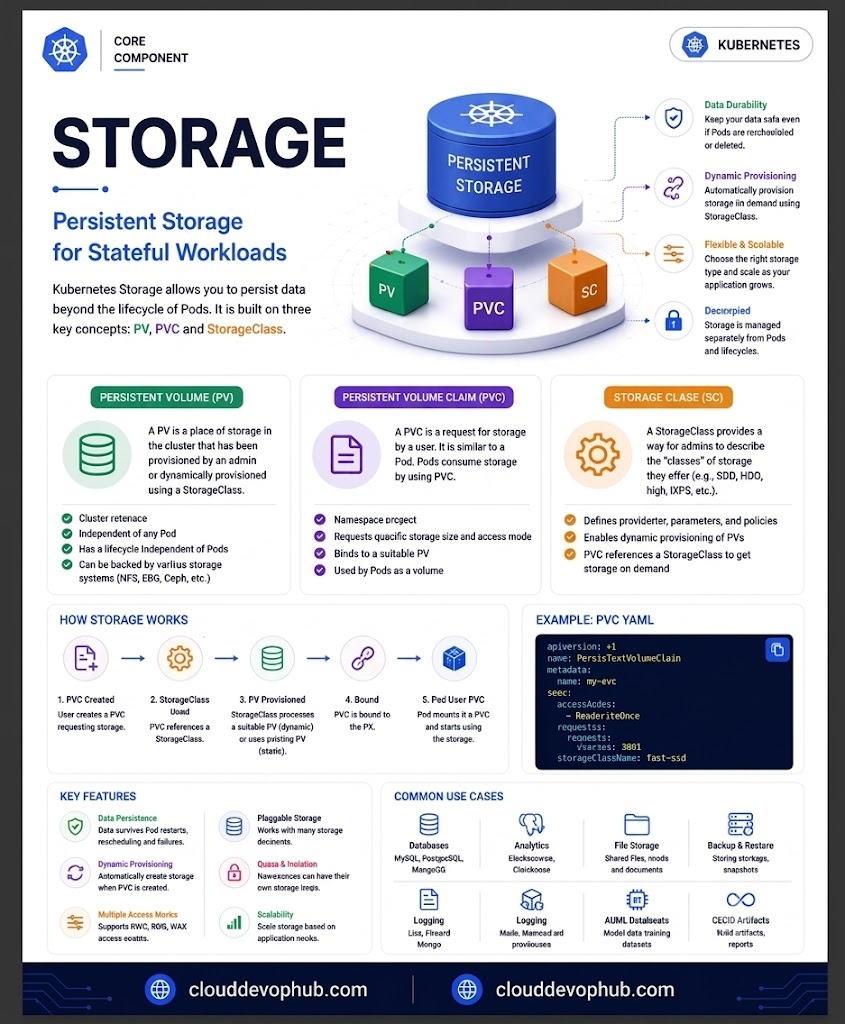
🖼️ Page 9: Persistent Storage Architecture (PV, PVC, StorageClass) (Replace Image in Graphy)
Kubernetes networking enforces the fundamental rule: Every Pod receives its own unique IP address and can communicate with all other Pods without NAT.
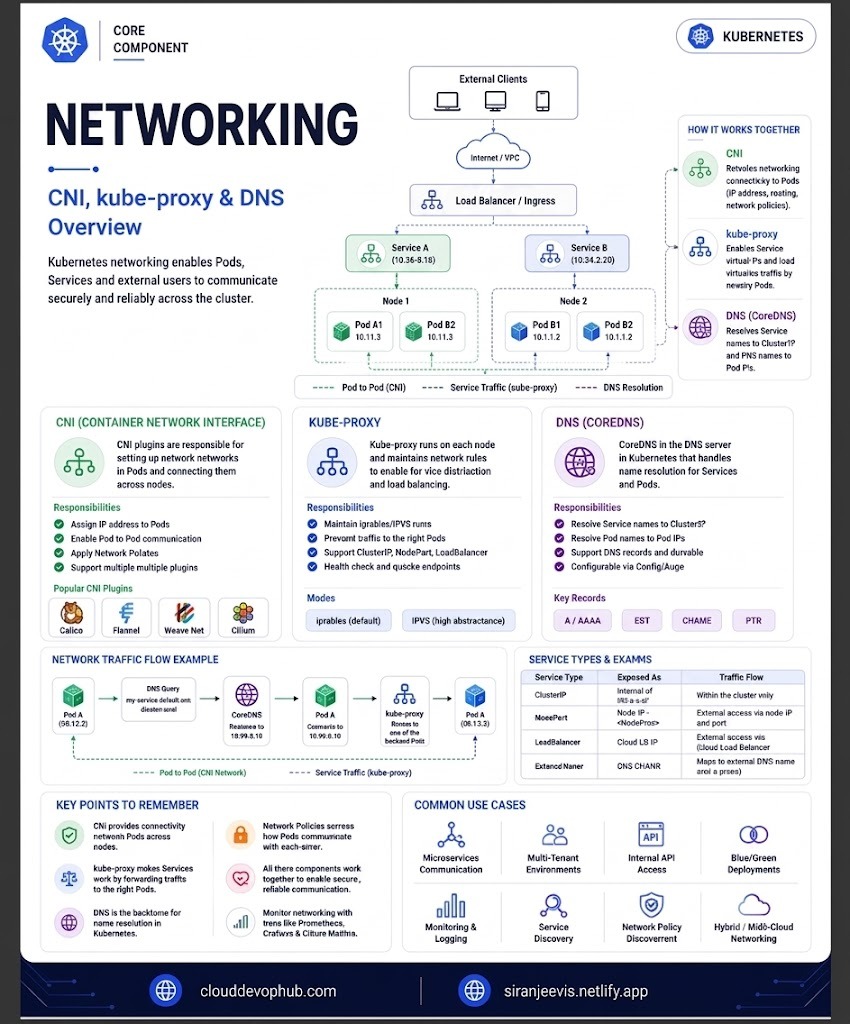
🖼️ Page 10: CNI Networking, Kube-Proxy Routing & CoreDNS Flow (Replace Image in Graphy)
Responsible for setting up network interfaces and routing across nodes (Calico, Flannel, Cilium, Weave).
Manages iptables or IPVS routing rules on nodes to forward Service traffic to backend Pods.
Internal cluster DNS server that automatically resolves Service names to ClusterIPs and Pod IPs.
The kube-scheduler assigns unscheduled Pods to optimal Worker Nodes based on resource requests, constraints, and affinity rules.
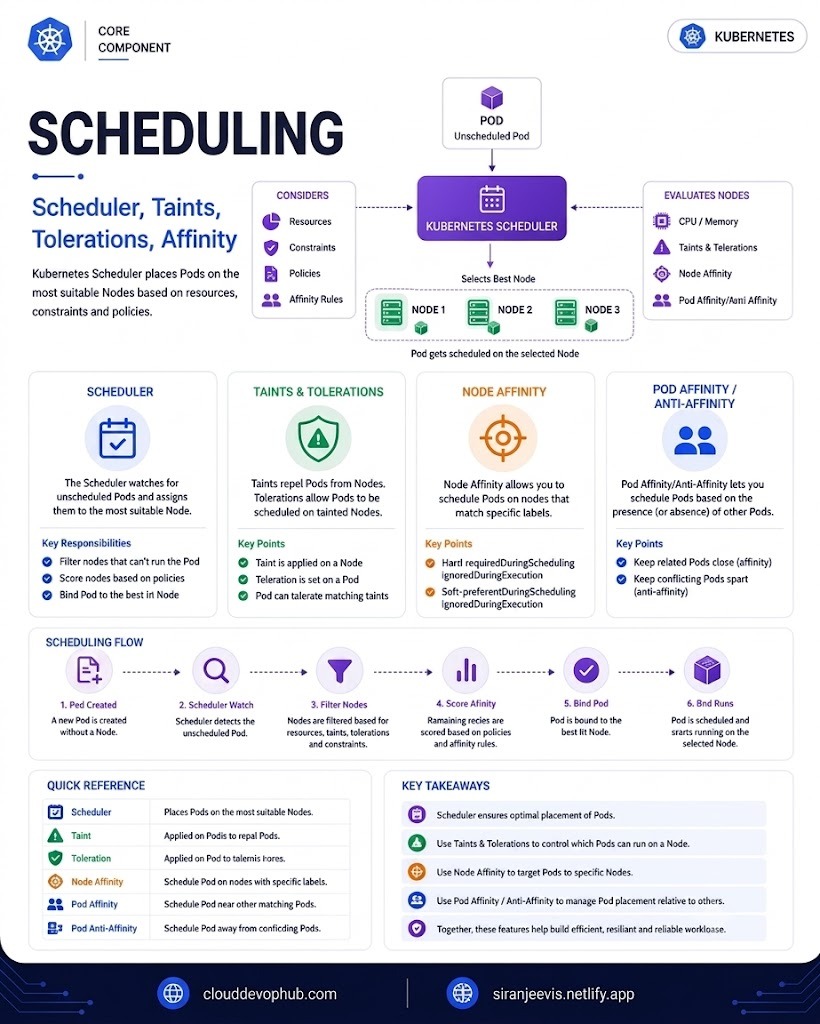
🖼️ Page 11: Scheduler Flow, Taints, Tolerations & Affinity (Replace Image in Graphy)
requiredDuringScheduling... vs Soft: preferredDuringScheduling...).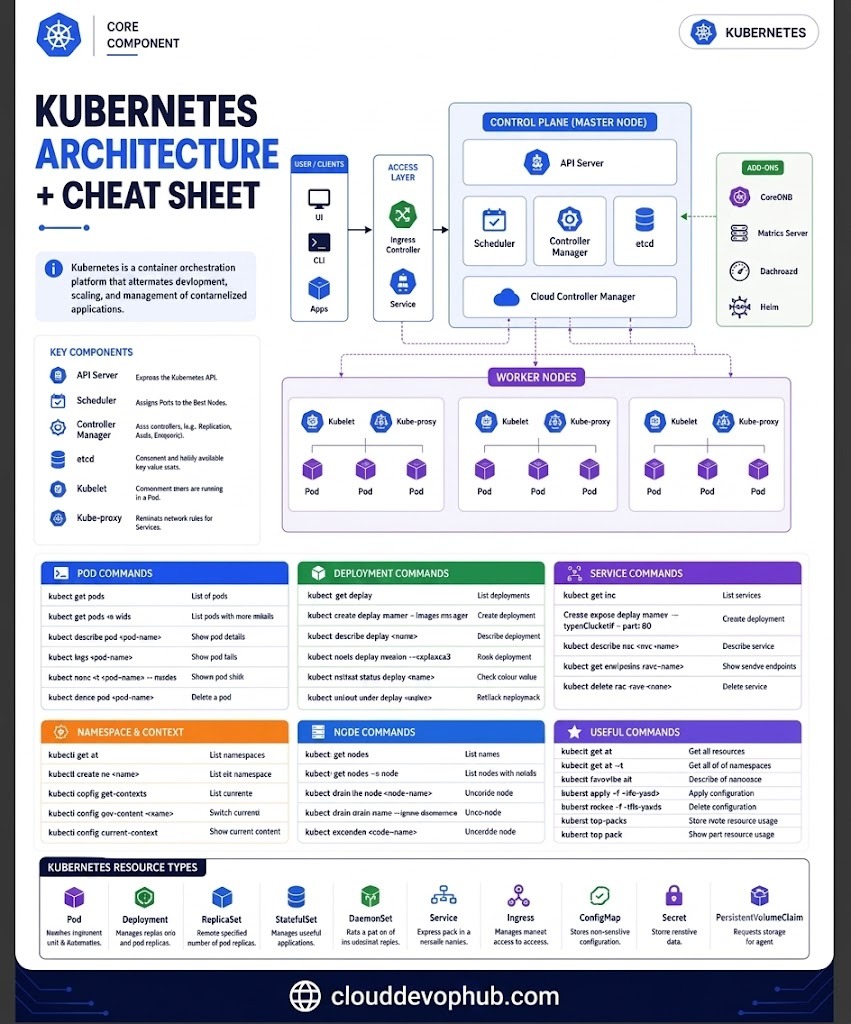
🖼️ Page 12: Kubernetes Master Architecture & CLI Cheat Sheet (Replace Image in Graphy)
| Category | Command | Description |
|---|---|---|
| Pods | kubectl get pods -o wide |
List all pods with IP address and Node details |
| Pods | kubectl describe pod <pod-name> |
Show detailed state, events, and diagnostics for a pod |
| Pods | kubectl logs <pod-name> --previous |
Print logs from previously crashed container instance |
| Deployments | kubectl create deploy <name> --image=<image> |
Create a new deployment imperatively |
| Deployments | kubectl scale deploy <name> --replicas=5 |
Scale deployment replica count up or down |
| Deployments | kubectl rollout status deploy/<name> |
Watch rollout progress of a deployment update |
| Services | kubectl get svc |
List all services in current namespace |
| Services | kubectl get endpoints <svc-name> |
View active backend Pod IPs linked to a service |
| Cluster & Nodes | kubectl get nodes -o wide |
List cluster worker nodes and OS/Kernel versions |
| Cluster & Nodes | kubectl top nodes / kubectl top pods |
Display real-time CPU and Memory metrics usage |
Understanding Kubernetes core components—from Pod lifecycles to Service networking and Controller rollouts—empowers DevOps engineers to design resilient, production-ready microservice architectures.