There are no items in your cart
Add More
Add More
| Item Details | Price | ||
|---|---|---|---|
How to Create a Free Account & Access DevOps Courses on CloudDevOpsHub
A Complete Step-by-Step Visual Onboarding Guide: From Signing Up to Accessing Live Sessions, Course Recordings, and Community Groups
Follow these 8 easy visual steps to set up your free account and access your live DevOps batches on CloudDevOpsHub:
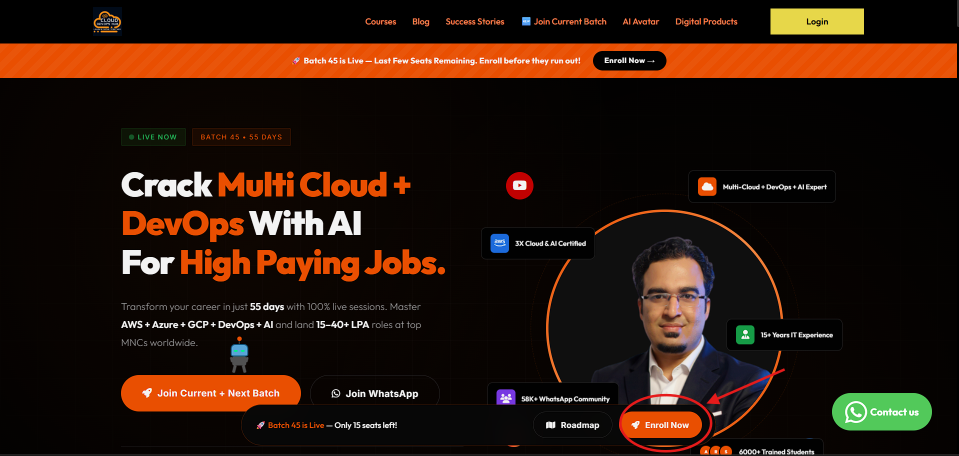
Go to the official CloudDevOpsHub homepage. Click the orange "🚀 Enroll Now" button in the bottom sticky banner or the top navigation bar to explore live batches and free workshops.
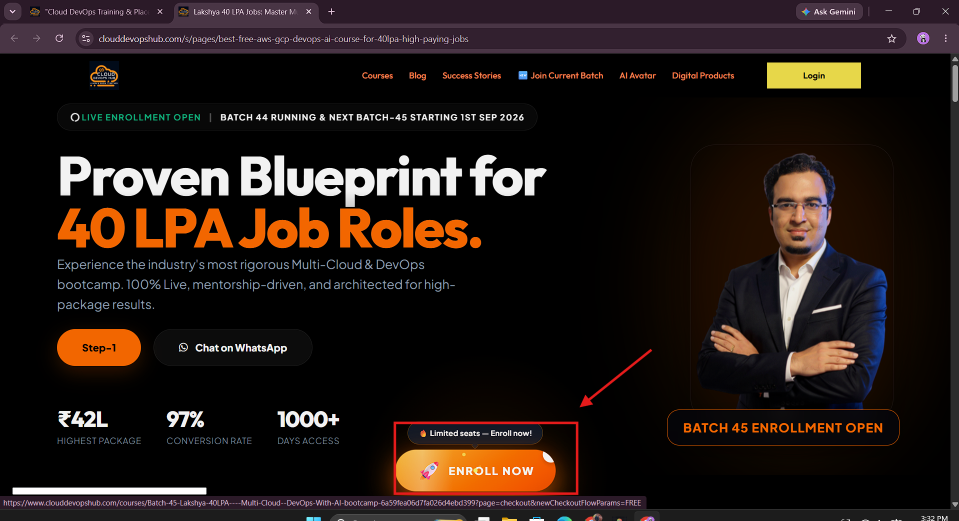
On the course landing page (e.g. Multi-Cloud + DevOps with AI Bootcamp for High-Paying Job Roles), review the curriculum and click the highlighted "🚀 ENROLL NOW" button to proceed.
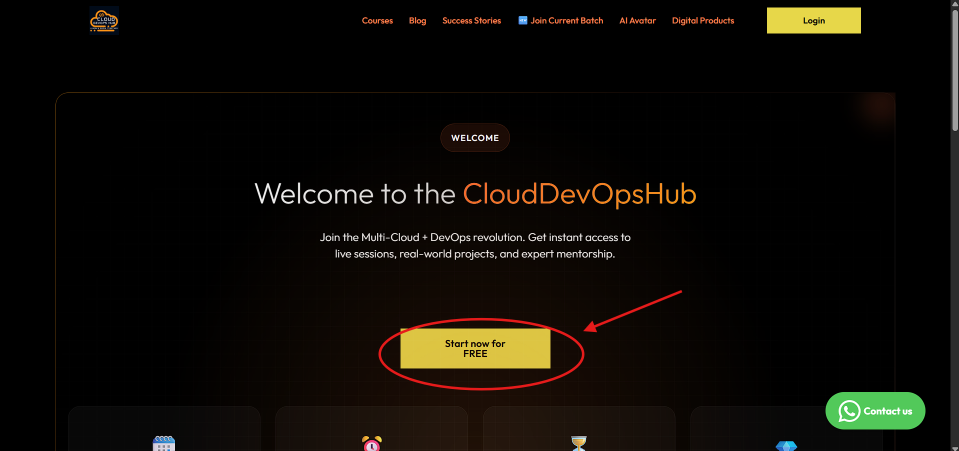
On the Welcome screen, click the prominent yellow button labeled "Start now for FREE" to initiate your free account registration.
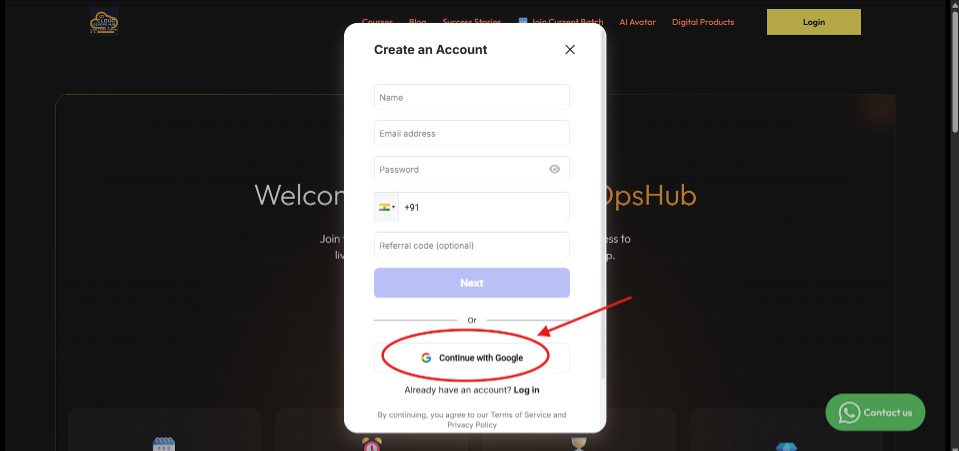
When the "Create an Account" modal appears, fill in your Name, Email, and Password, or click "Continue with Google" (circled in red) for fast, secure single sign-on (SSO).
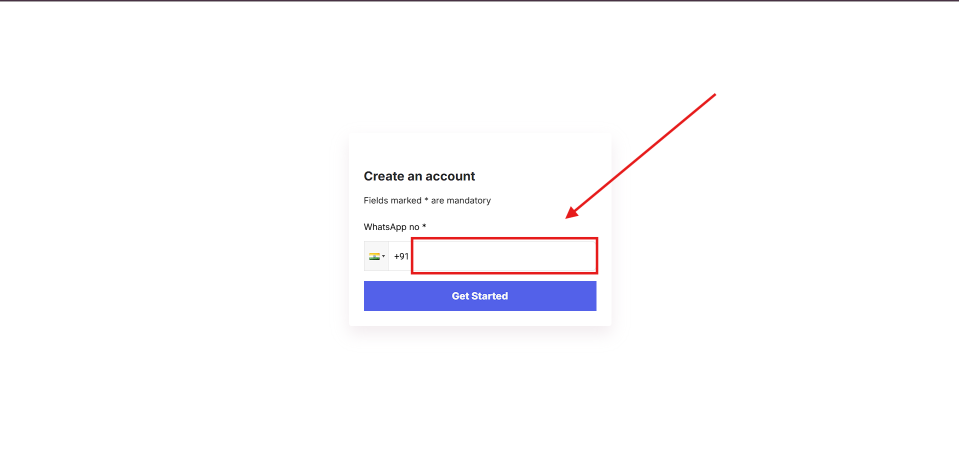
Enter your valid WhatsApp number (with country code +91) in the highlighted input box. This ensures you receive live class links, project notifications, and batch reminders. Click "Get Started".
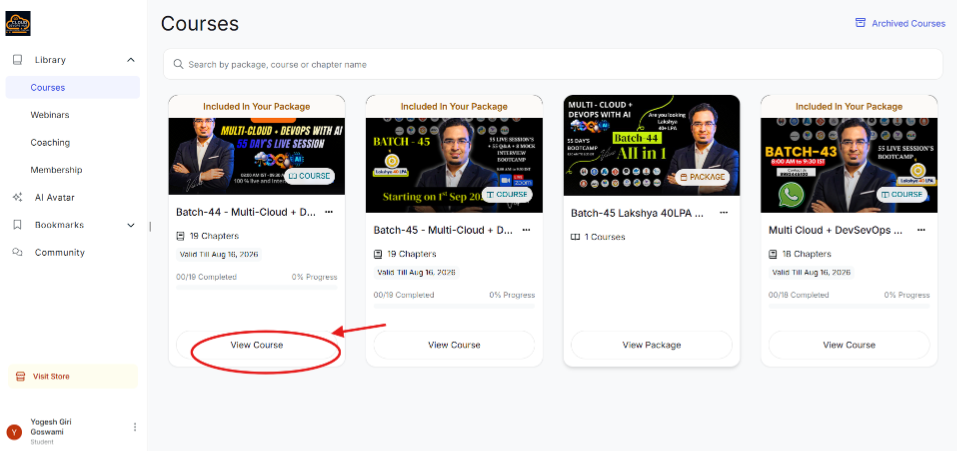
After completing registration, you are redirected to your personal Student Dashboard under Library ➔ Courses. Locate your enrolled batch card (e.g. Batch-44 Multi-Cloud + DevOps with AI) and click "View Course".
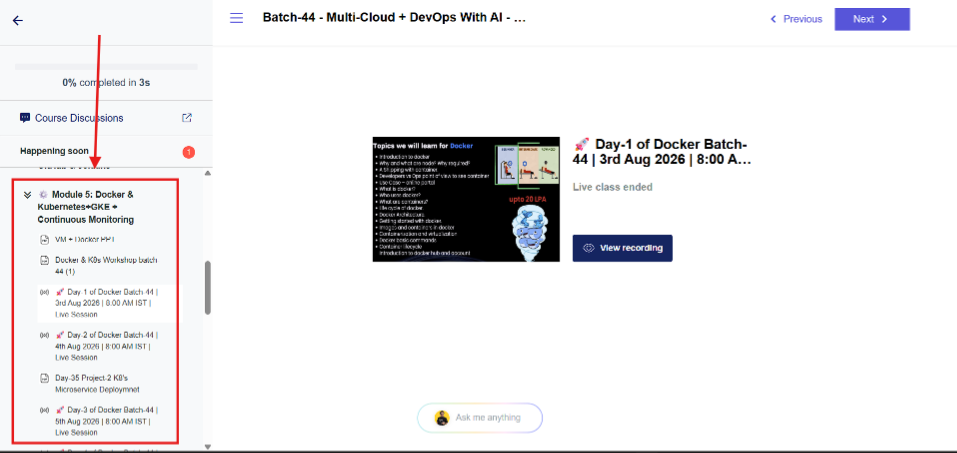
Inside the Course Player, use the left sidebar to navigate through course modules (e.g. Module 5: Docker & Kubernetes). You can watch past live session recordings (click "👁️ View recording"), download PPT presentations, and access project assignments.
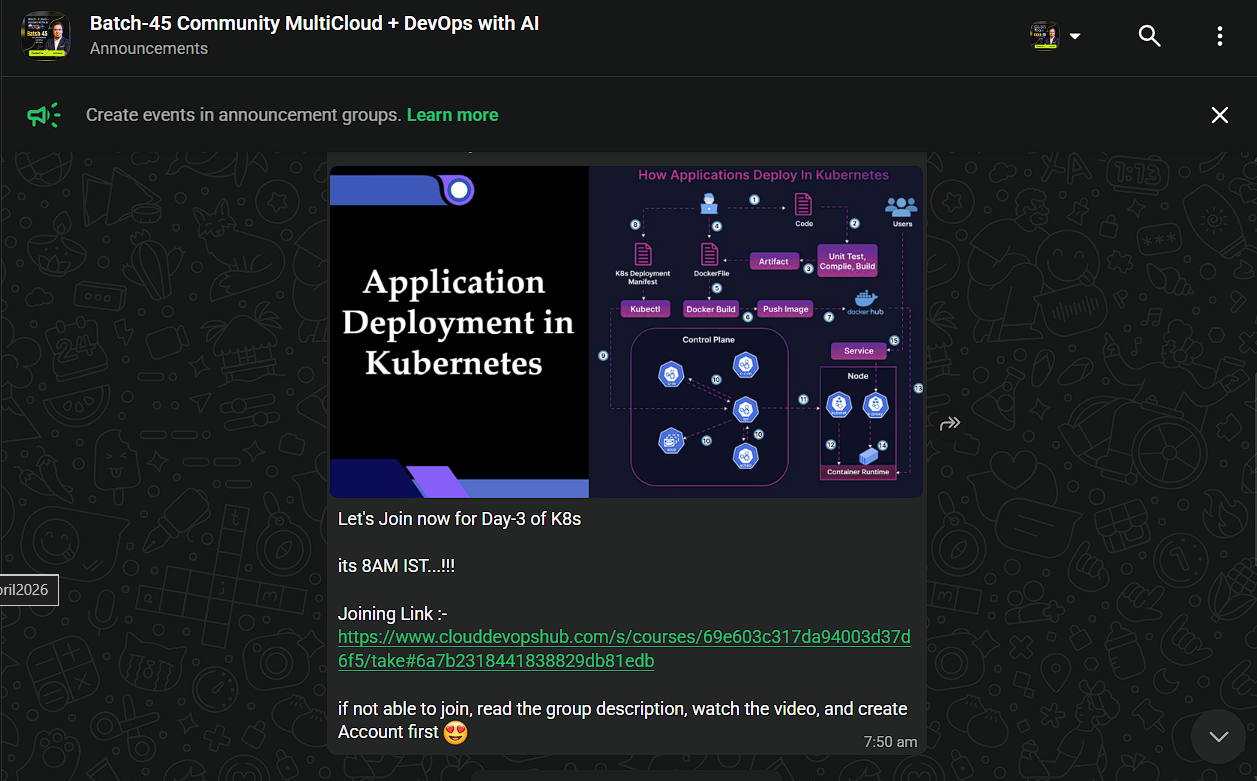
Join the official student WhatsApp Announcements Group (e.g. Batch-45 Community MultiCloud + DevOps with AI). Here you will receive daily live session links (8:00 AM IST), Zoom meeting IDs, slide updates, and community Q&A support!
Answer: Yes! Creating an account gives you instant free access to introductory sessions, workshop materials, community groups, and course roadmaps.
Answer: Your WhatsApp number is required so our automated notification bot can send you direct live class joining links (Zoom/Google Meet), schedule changes, and project reminders prior to every session.
Answer: Log in to your CloudDevOpsHub dashboard, go to Library ➔ Courses ➔ View Course, select the module from the left sidebar, and click "View recording" to watch the full HD video recording at any time!