🚀 Project Overview & Infrastructure Scope
In production enterprise cloud environments, manually configuring cloud infrastructure through the AWS Management Console leads to configuration drift, human error, and slow disaster recovery. This real-time production project demonstrates how to design, modularize, and automate an end-to-end 3-Tier Enterprise Infrastructure on AWS using Terraform (Infrastructure as Code - IaC).
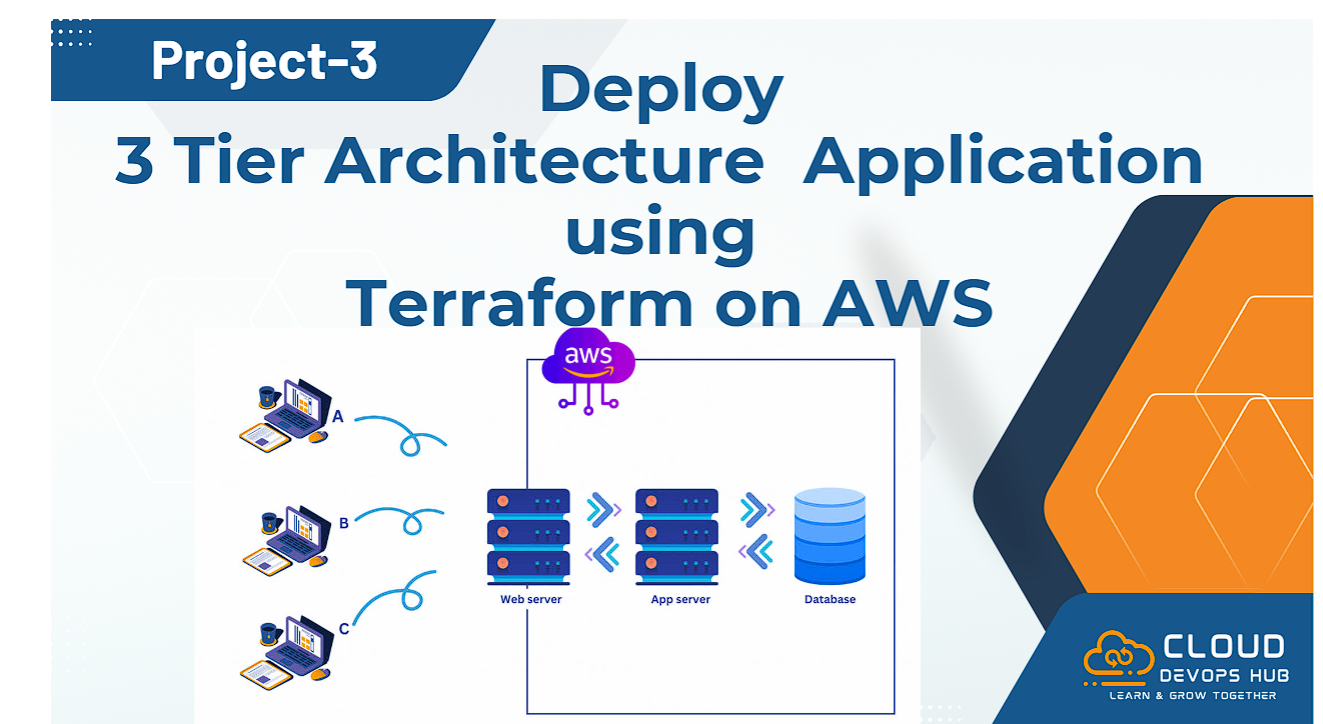
Figure 1: Project 3 — Deploy 3-Tier Enterprise Architecture Application using Terraform on AWS
Terraform Code (HCL)
➔
Terraform Init & Plan
➔
AWS Provider Auth
➔
40+ AWS Resources Created
➔
Live Application Endpoint
Project Objective: Automate the deployment of 40+ cloud infrastructure resources across 3 tiers (Web, Application, Database) in a Multi-AZ VPC network in AWS US-West-2 (Oregon) using reusable, modular Terraform configuration files.
🏗️ Understanding 3-Tier Cloud Architecture
Three-tier architecture is a well-established software architecture that organizes applications into three distinct, secure logical layers:
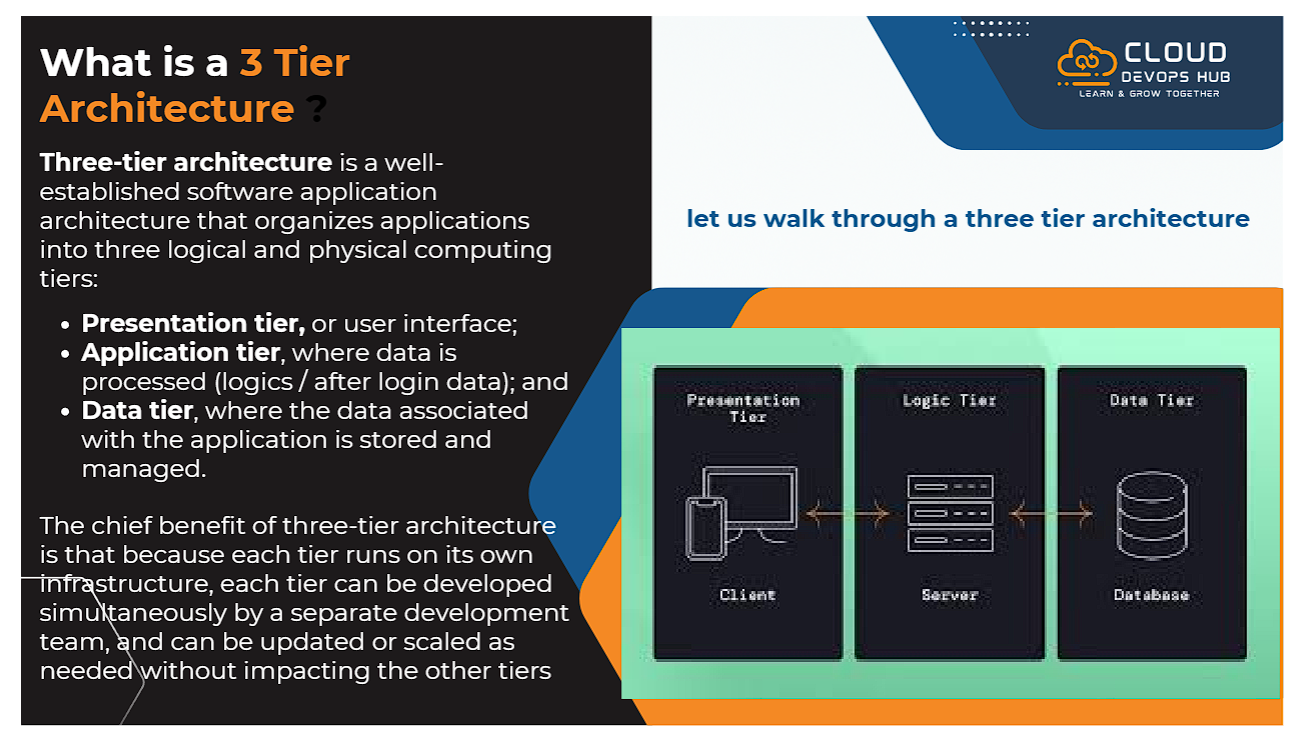
Figure 2: Conceptual Breakdown of 3-Tier Application Layers (Presentation, Application & Data)
🌐 1. Presentation Tier (Web)
The top layer containing public-facing components. Receives incoming user requests over HTTP/HTTPS (Port 80/443) via an Internet-Facing Application Load Balancer (ALB) in Public Subnets.
⚡ 2. Application Tier (Business Logic)
The middle processing layer where application logic runs inside EC2 instances in Private Subnets, managed by an Auto Scaling Group (ASG) across multiple Availability Zones.
🛢️ 3. Data Tier (Database)
The backend storage layer hosting an Amazon RDS MySQL Relational Database in isolated Private Database Subnets with Multi-AZ replication, inaccessible directly from the internet.
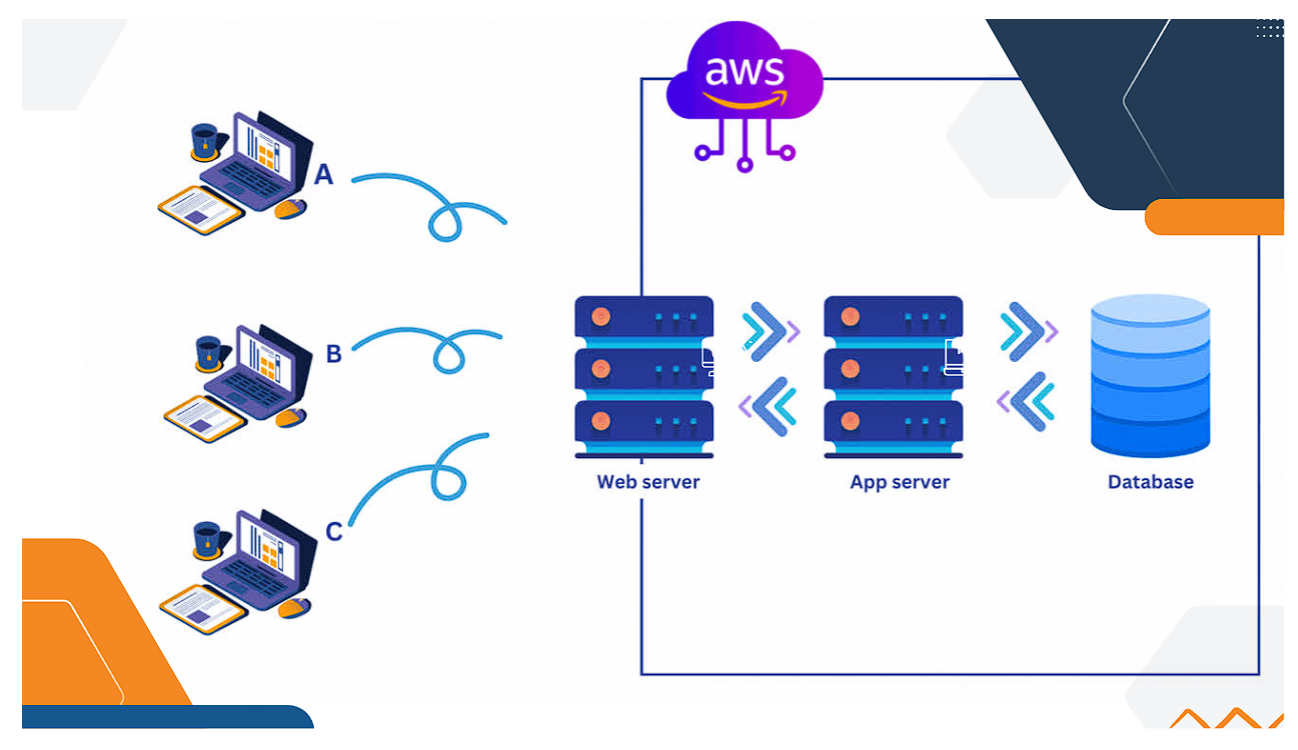
Figure 3: AWS 3-Tier Layering Diagram (Web Server ➔ App Server ➔ Database Server)
🌐 AWS 3-Tier Multi-AZ VPC Network Topology
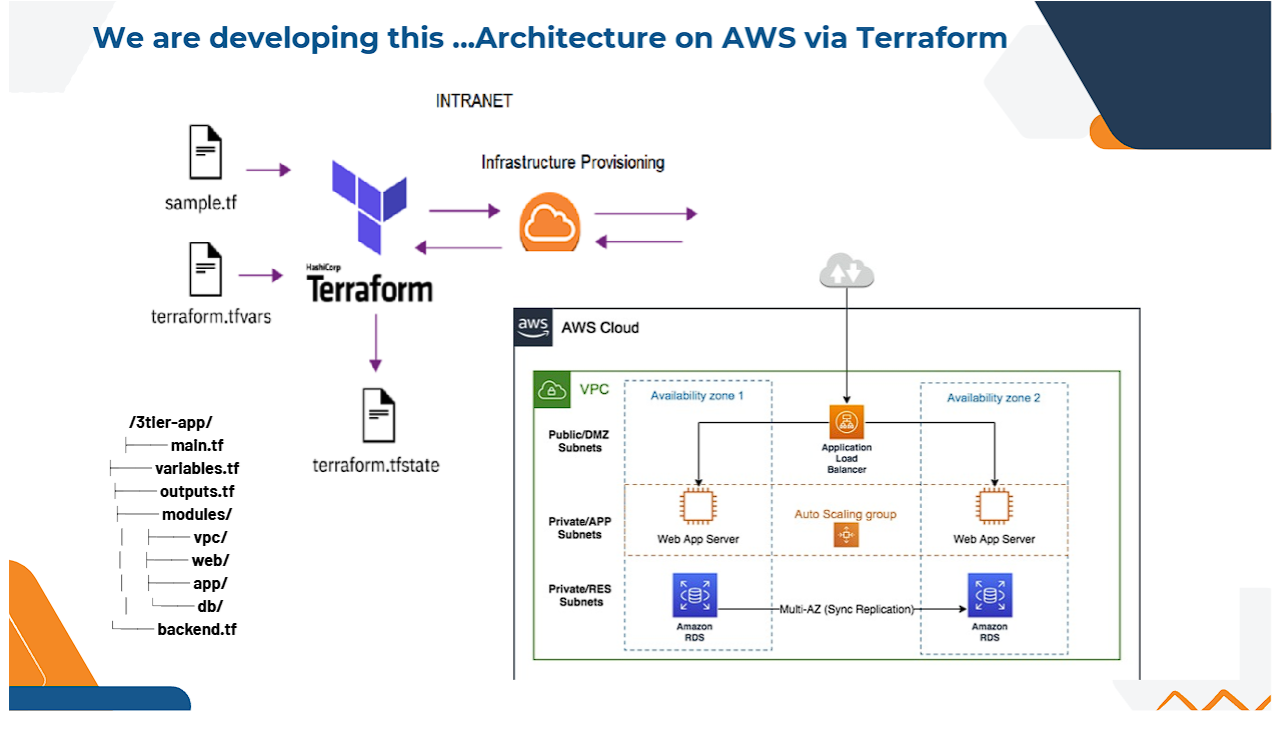
Figure 4: Complete AWS Multi-AZ VPC Infrastructure Blueprint & Terraform Module Mapping
VPC Network Specifications
- VPC CIDR Block:
10.0.0.0/16 in region us-west-2 (Oregon).
- Availability Zones: 3 AZs (
us-west-2a, us-west-2b, us-west-2c).
- Public Subnets (3): Hosts ALB and NAT Gateway for outbound internet access.
- Private Application Subnets (3): Hosts Auto Scaling EC2 Application Servers.
- Private Database Subnets (3): Hosts Amazon RDS MySQL Multi-AZ Subnet Group.
- Total Subnets: 9 Subnets ensuring high availability and fault tolerance.
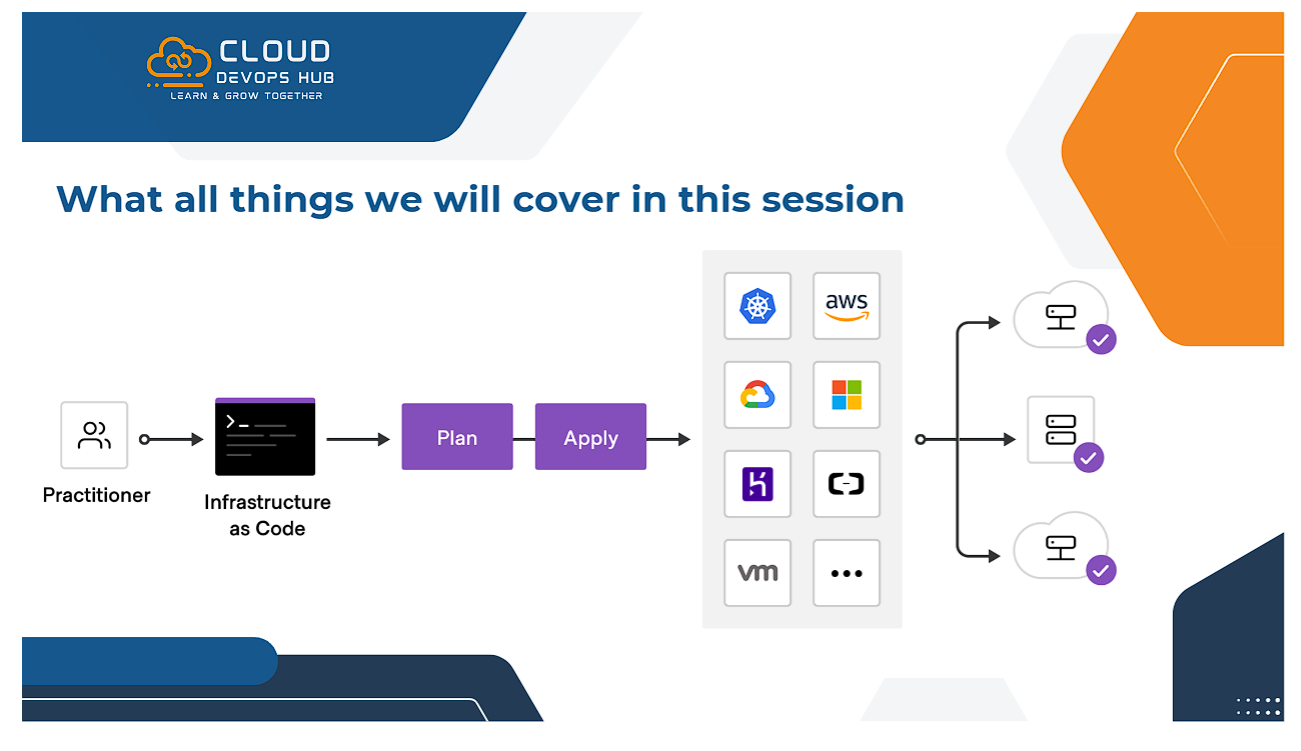
Figure 5: Infrastructure as Code (IaC) Session Scope & AWS Practitioner Standards
🛠️ Prerequisites & Terraform Development Lifecycle
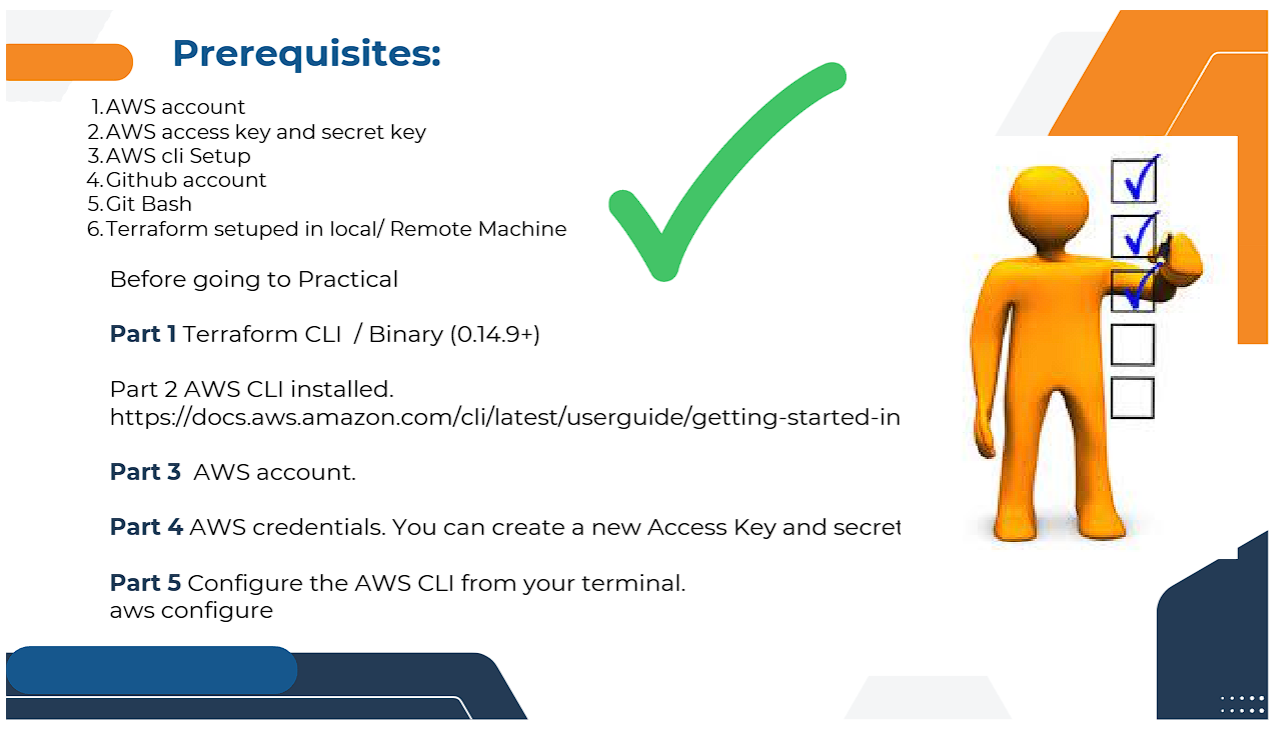
Figure 6: Prerequisites: AWS CLI, IAM Credentials, Git Bash & Terraform Installation
Prerequisites Checklist
- AWS Account: Active AWS Cloud Account with Administrator privileges.
- AWS Credentials: Programmatic IAM Access Key & Secret Access Key configured via
aws configure.
- AWS CLI v2: Installed and verified on local machine.
- Terraform Binary: Installed (v0.14.9+ / latest stable release).
- Git & Terminal: Git Bash or Linux/macOS terminal for running HCL code.
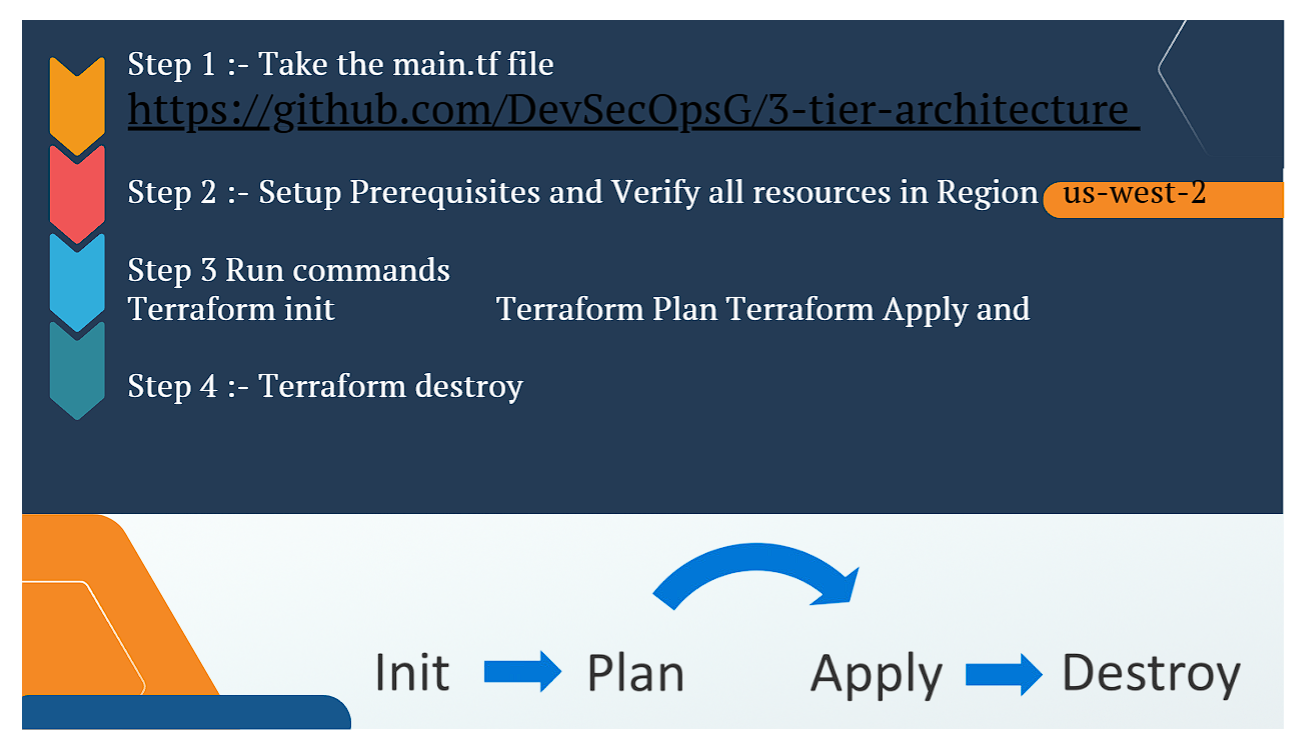
Figure 7: The 4 Core Lifecycle Commands of HashiCorp Terraform
1. terraform init
Initializes backend storage, downloads AWS provider plugins, and downloads nested modules into .terraform/modules.
2. terraform plan
Performs dry-run execution against current state and displays resource creation/modification plan.
3. terraform apply
Executes API calls to AWS endpoints and provisions the infrastructure, creating terraform.tfstate.
4. terraform destroy
Teardown command that cleanly terminates all provisioned resources to prevent unwanted cloud billing.
Execution Guide Step-by-Step Infrastructure Deployment
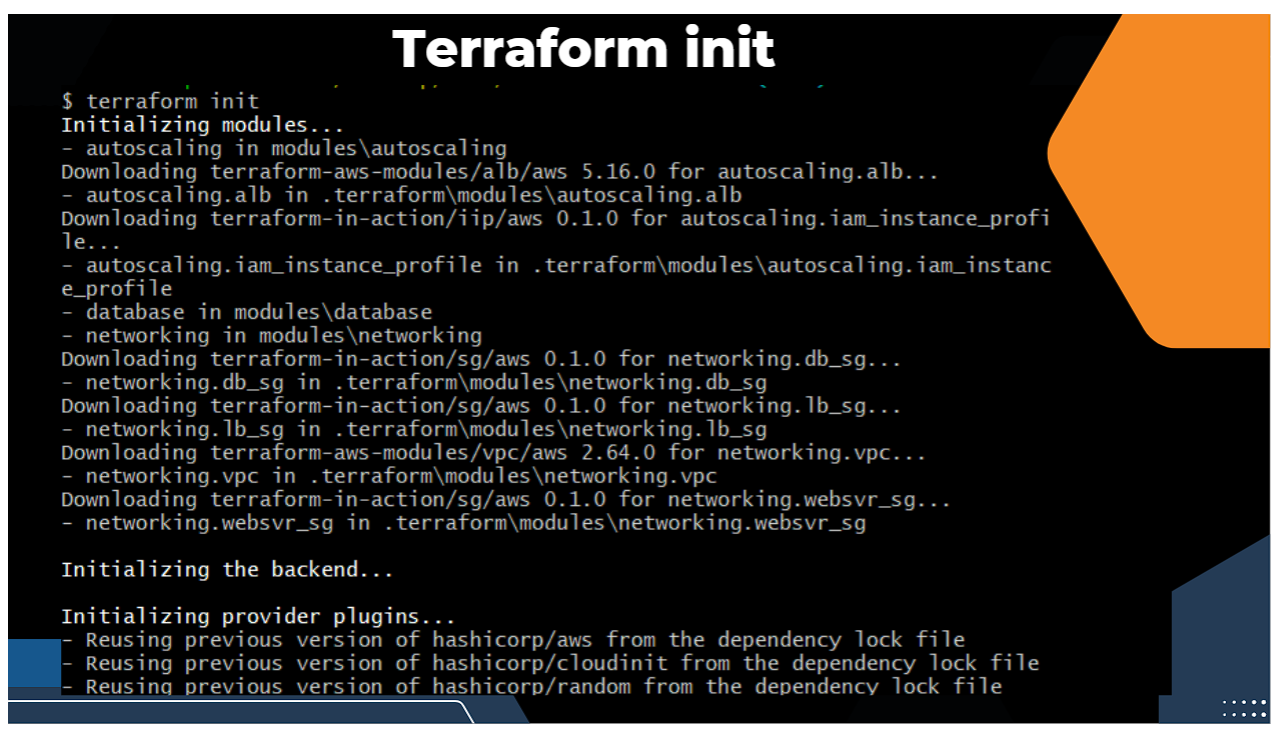
Figure 8: 4-Step Execution Roadmap for Provisioning & Teardown
Step 1: Clone Terraform Source Repository
# Clone 3-Tier Architecture Repository
git clone https://github.com/DevSecOpsG/3-tier-architecture.git
cd 3-tier-architecture
Step 2: Initialize Terraform Modules & AWS Provider
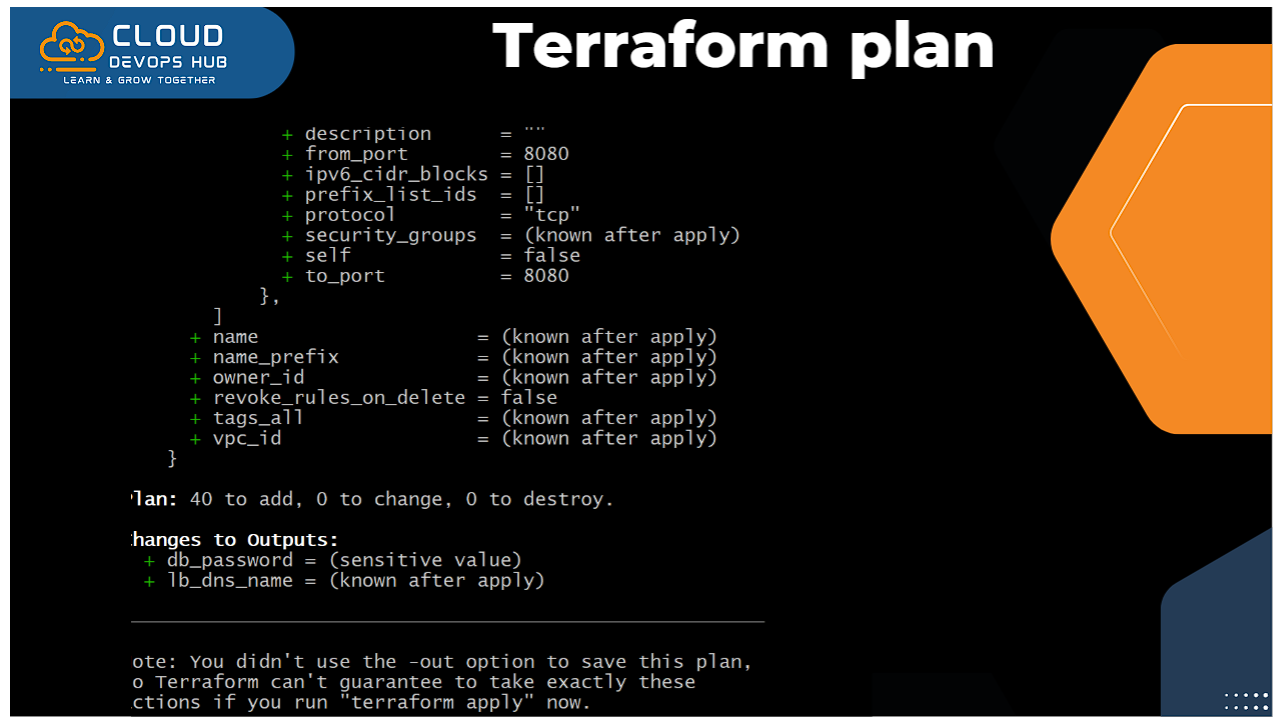
Figure 9: Terminal Log of `terraform init` Downloading ALB & Autoscaling Modules
Step 3: Preview Execution Plan
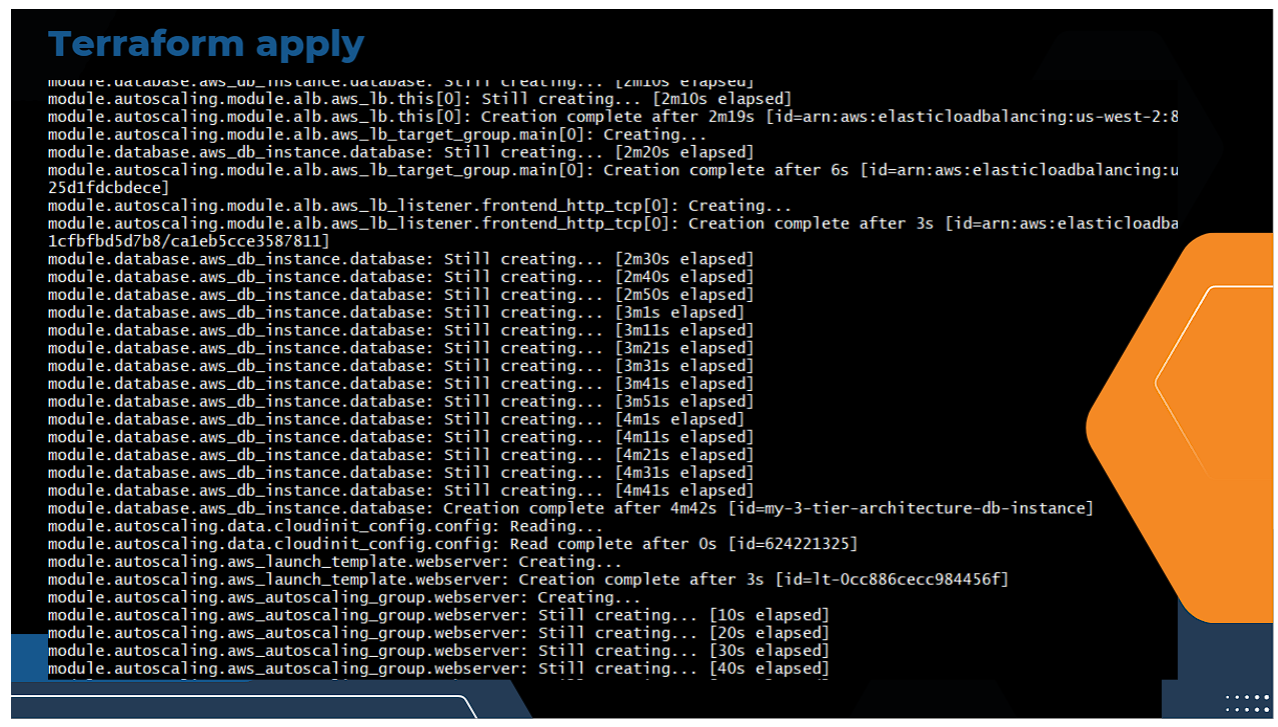
Figure 10: Terraform Execution Plan Previewing Security Group & VPC Attributes
Step 4: Provision 40+ AWS Infrastructure Resources
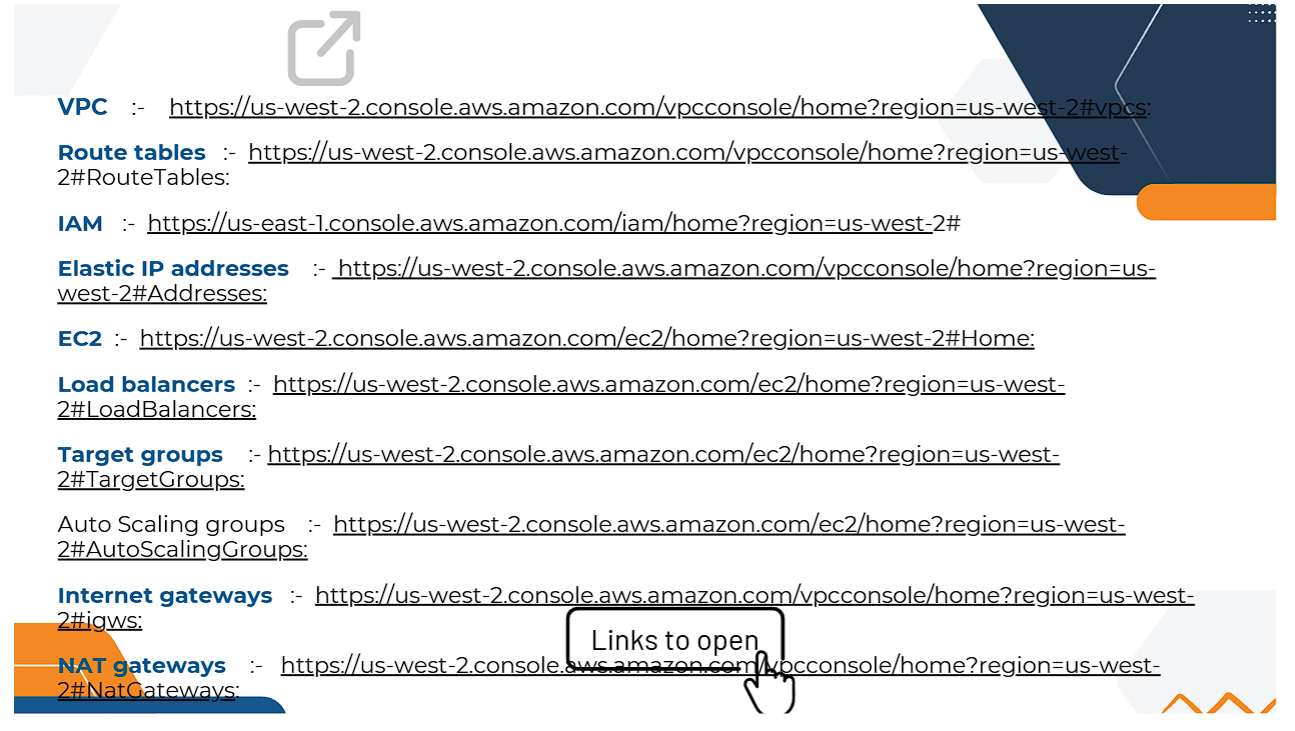
Figure 11: Real-Time Provisioning Log of `terraform apply` Creating ALB, EC2 & RDS Database
terraform apply --auto-approve
🔍 AWS Management Console Resource Verification
After terraform apply completes, let me verify all provisioned AWS services across the 3 tiers in the AWS Console (Region: us-west-2 Oregon).
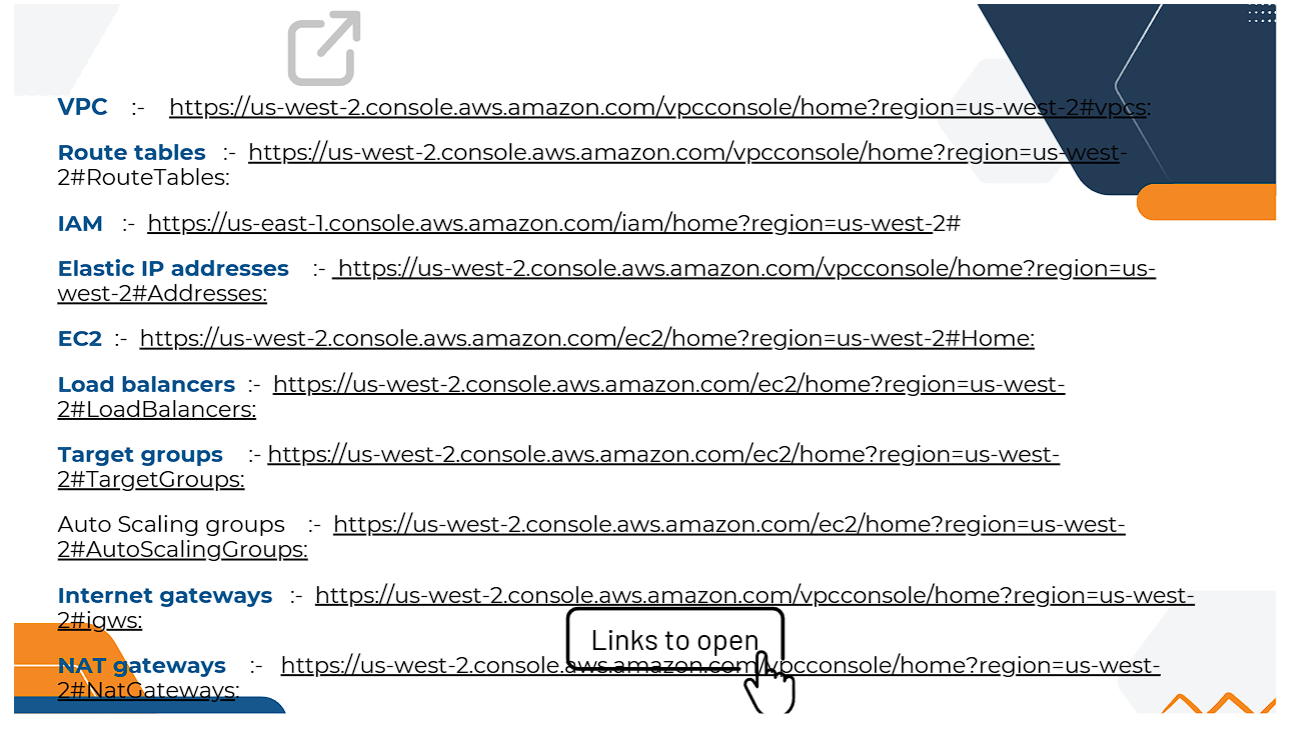
Figure 12: AWS Console Direct Verification Links for VPC, Route Tables, IAM & Elastic IPs
1. Virtual Private Cloud (VPC) & IAM Setup
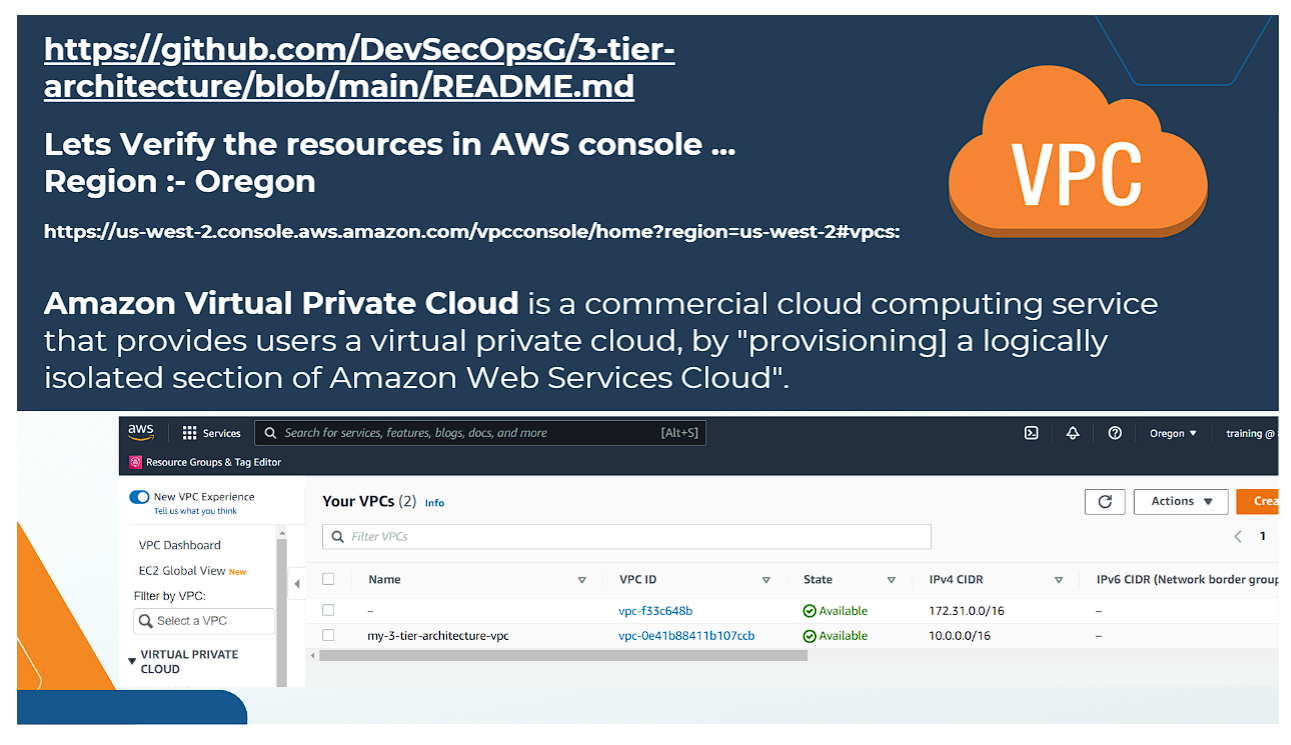
Figure 13: Amazon VPC (my-3-tier-architecture) Provisioned in us-west-2
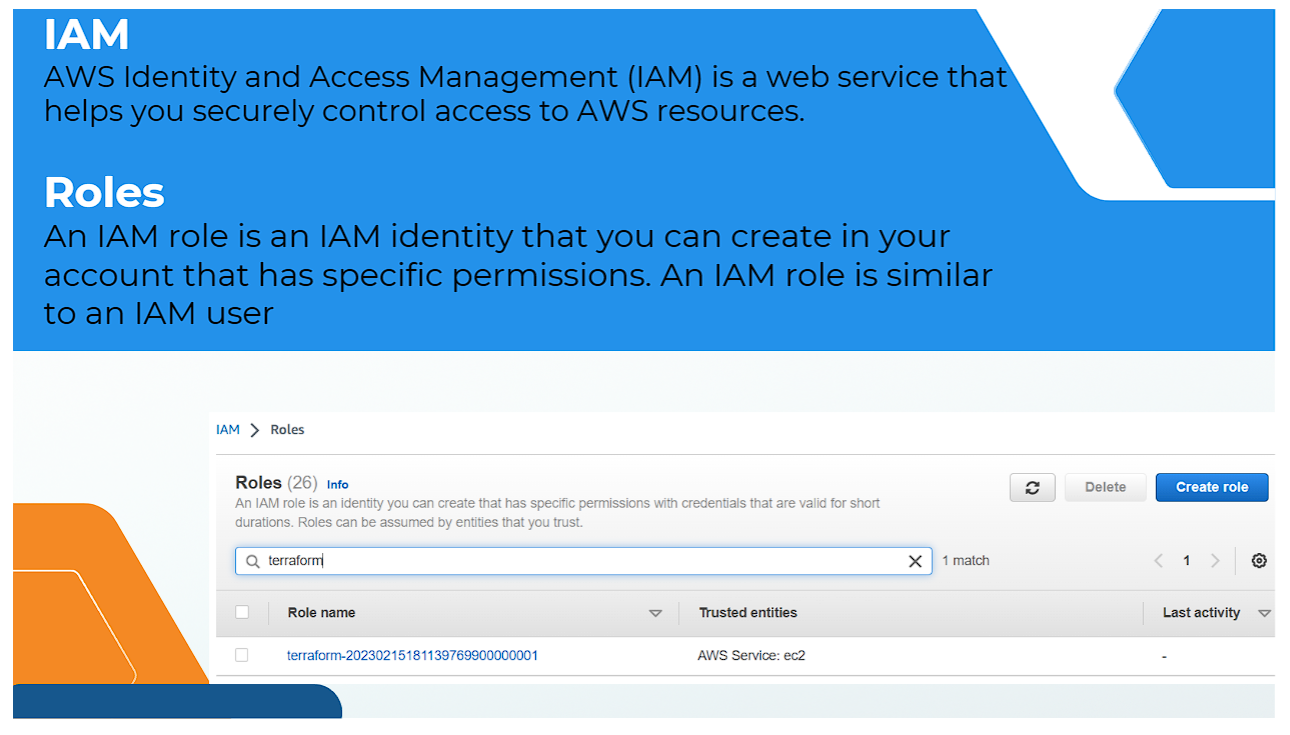
Figure 14: AWS IAM Roles Provisioned for EC2 Instance Profiles
2. Subnets, Networking & Firewalls
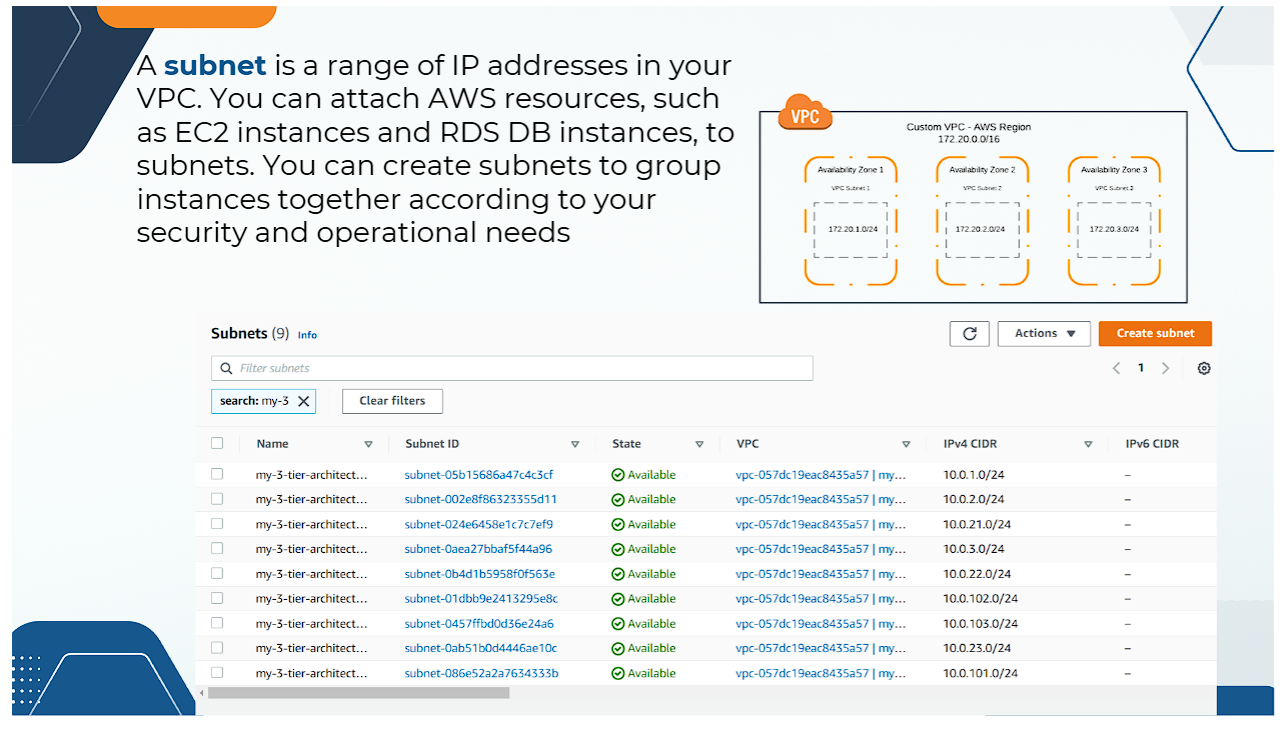
Figure 15: Verification of 9 Subnets across 3 Availability Zones (Public, App, DB)
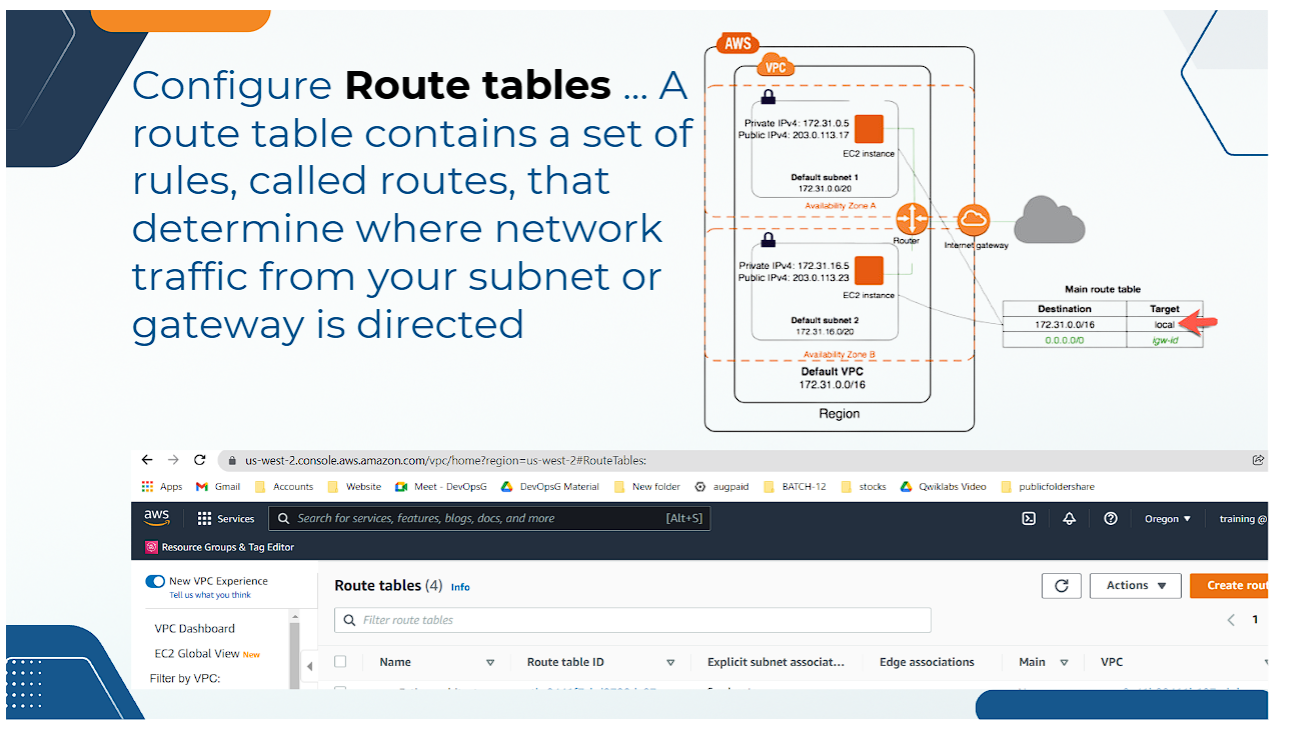
Figure 16: Route Tables Controlling Inbound & Outbound Network Routing
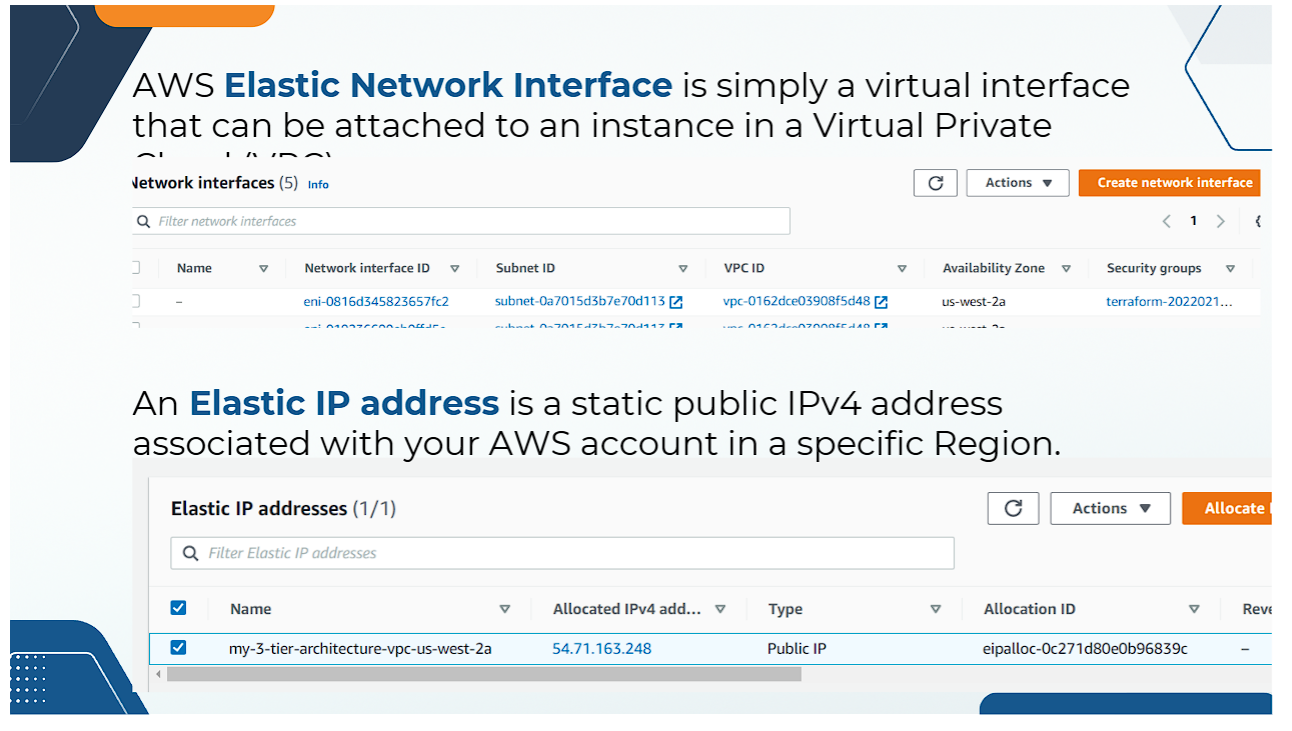
Figure 17: Elastic Network Interfaces (ENIs) Attached to Subnets & Instances
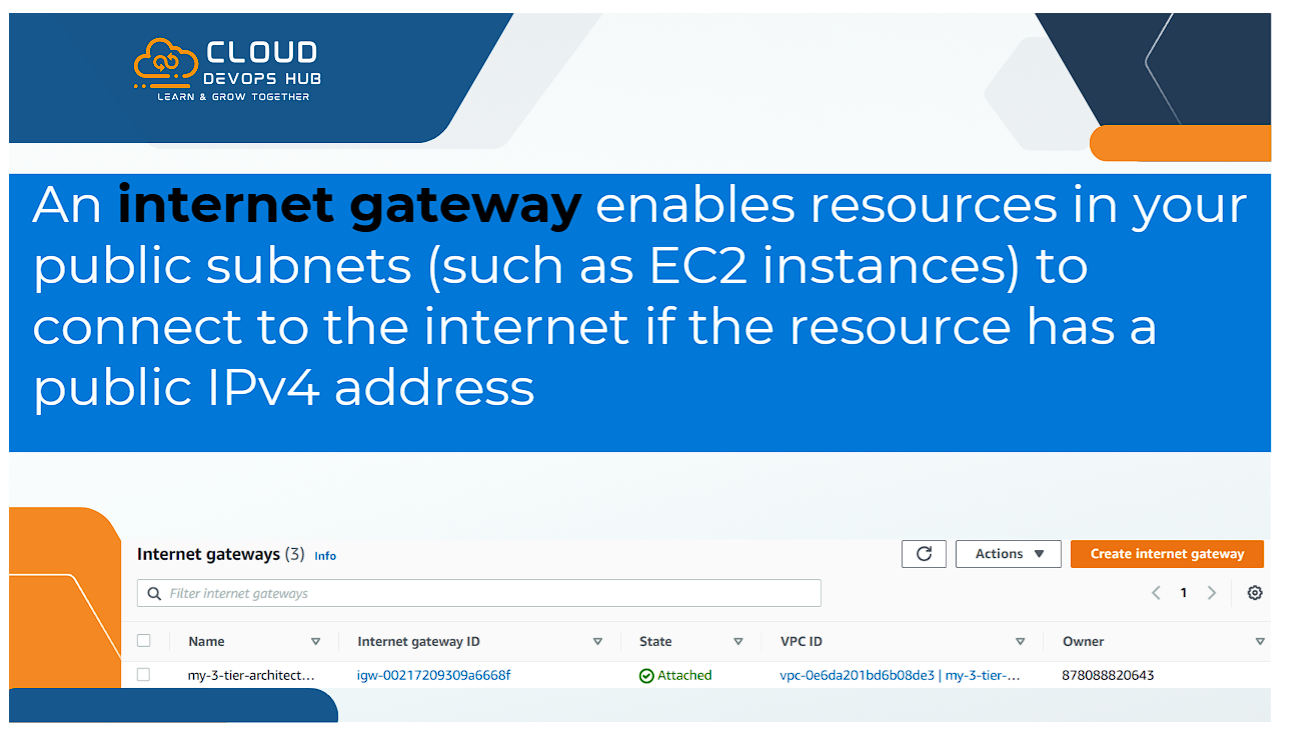
Figure 18: Internet Gateway (IGW) Attached to Public Subnets
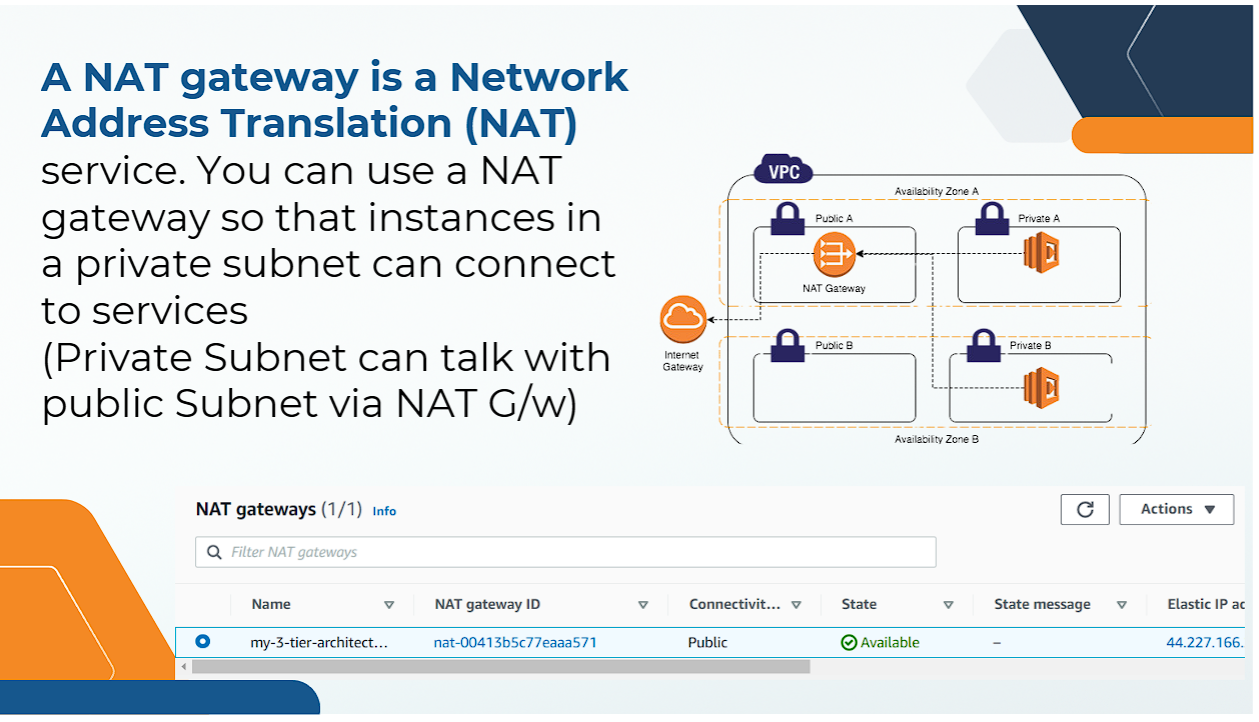
Figure 19: NAT Gateway & Elastic IP Provisioned for Private Subnet Internet Access
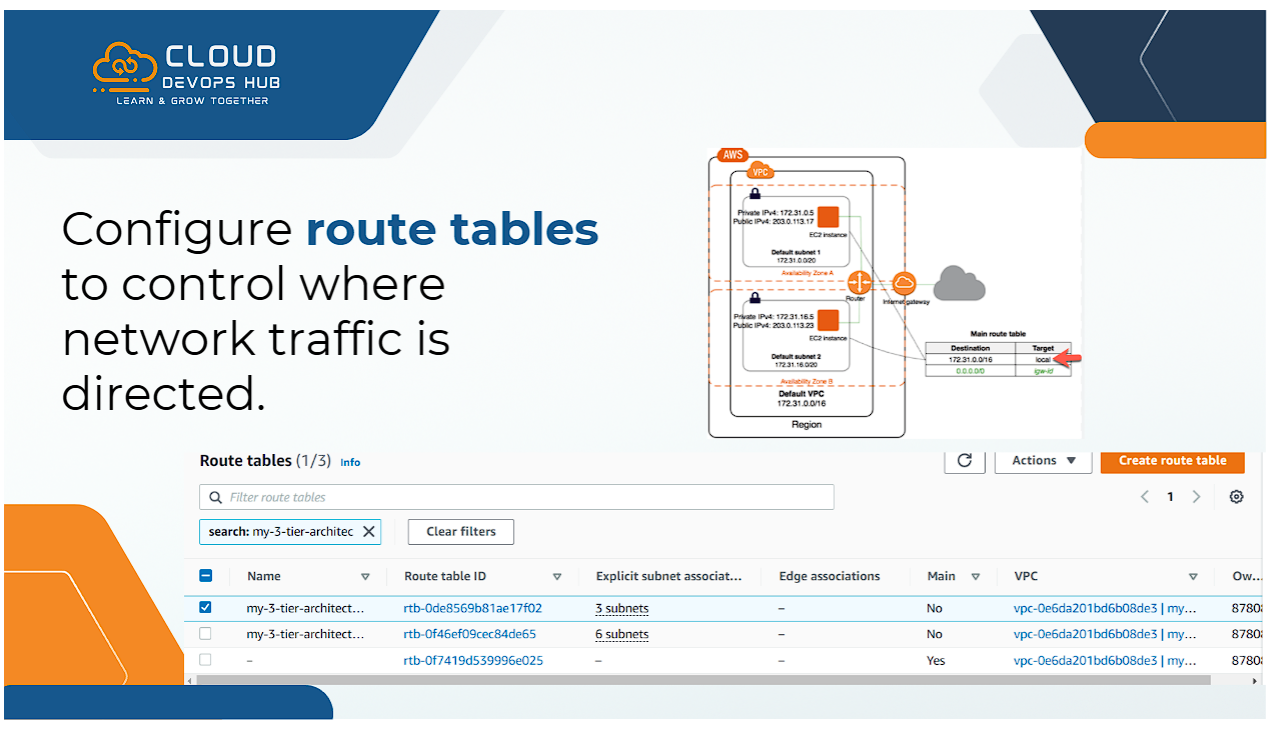
Figure 20: Subnet Route Table Associations (3 Public Subnets ➔ IGW, 6 Private Subnets ➔ NAT)
3. 3-Tier Security Groups Virtual Firewall Architecture
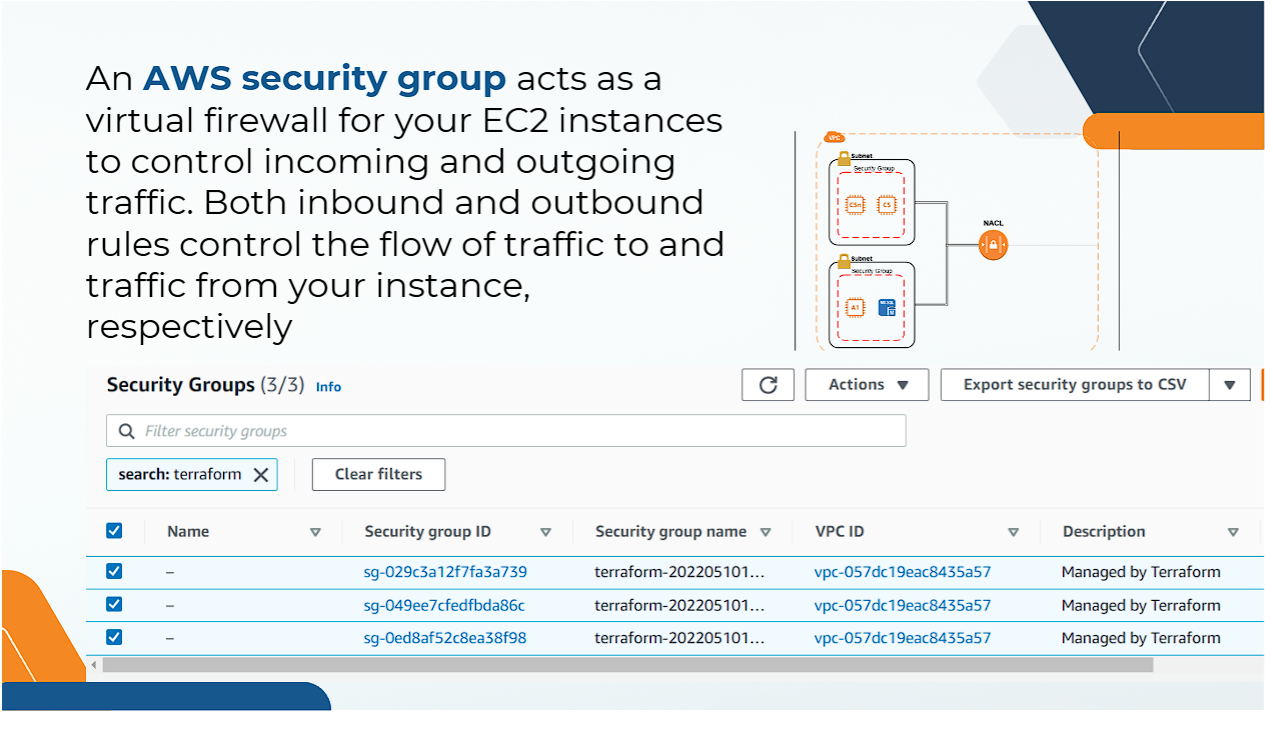
Figure 21: Security Groups Firewall Architecture (ALB SG ➔ App SG ➔ DB SG)
| Security Group |
Inbound Rules |
Source Access |
web_alb_sg |
HTTP (80), HTTPS (443) |
Public Internet (0.0.0.0/0) |
app_ec2_sg |
Custom TCP (8080/3000) |
ONLY Traffic originating from web_alb_sg |
rds_mysql_sg |
MySQL (3306) |
ONLY Traffic originating from app_ec2_sg |
4. Compute & Auto Scaling Verification (EC2, Launch Template, ASG, ALB)
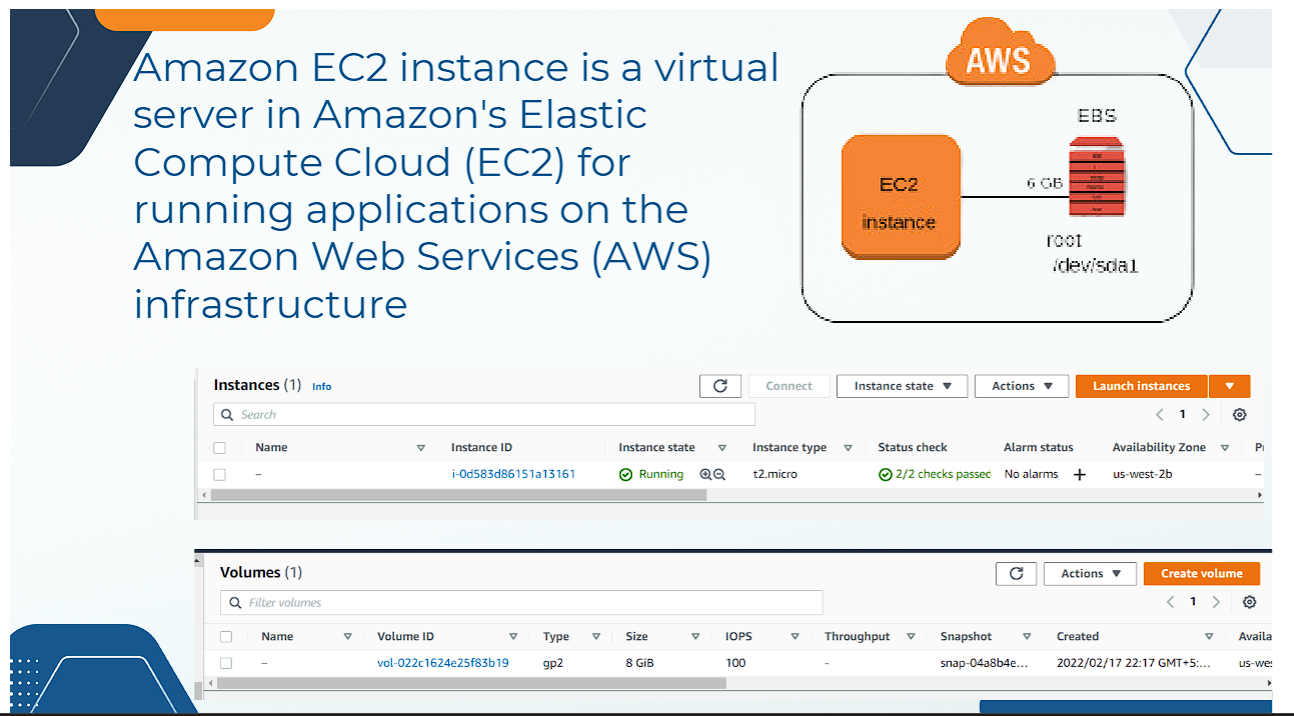
Figure 22: Amazon EC2 Instances Running in Private Subnets
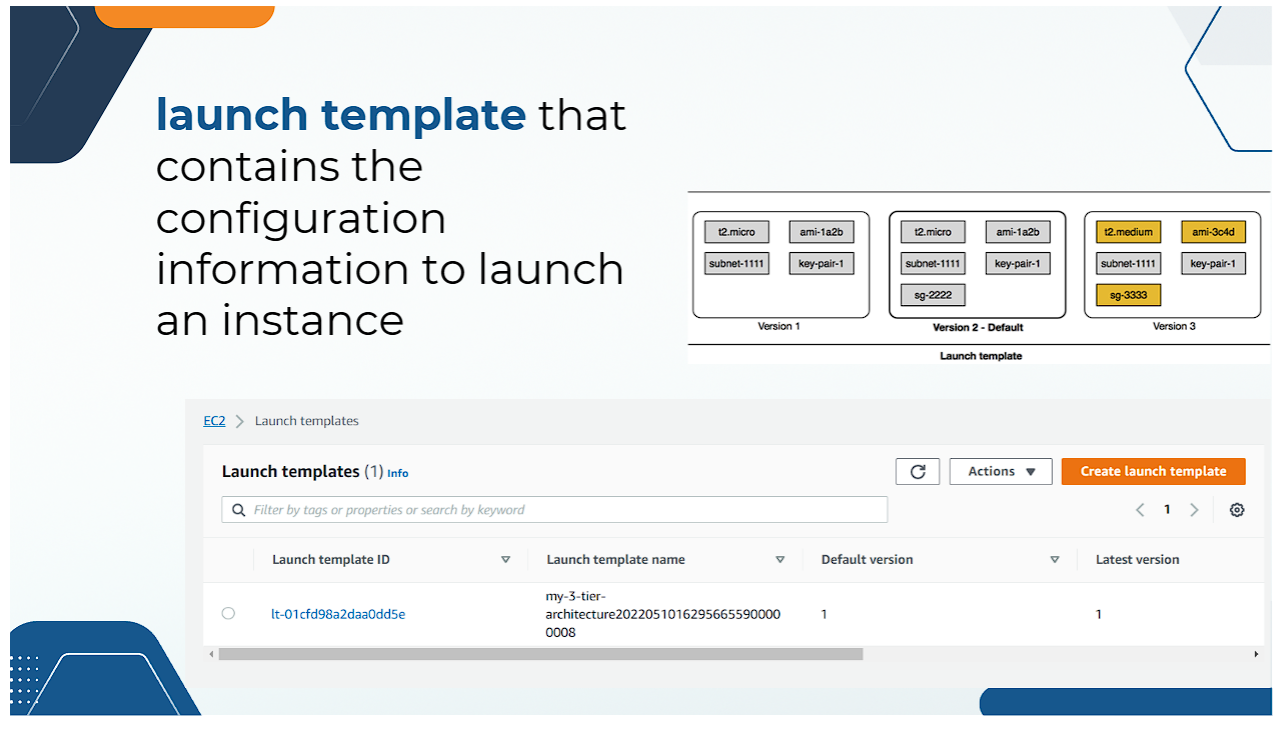
Figure 23: EC2 Launch Templates Provisioned for Auto Scaling
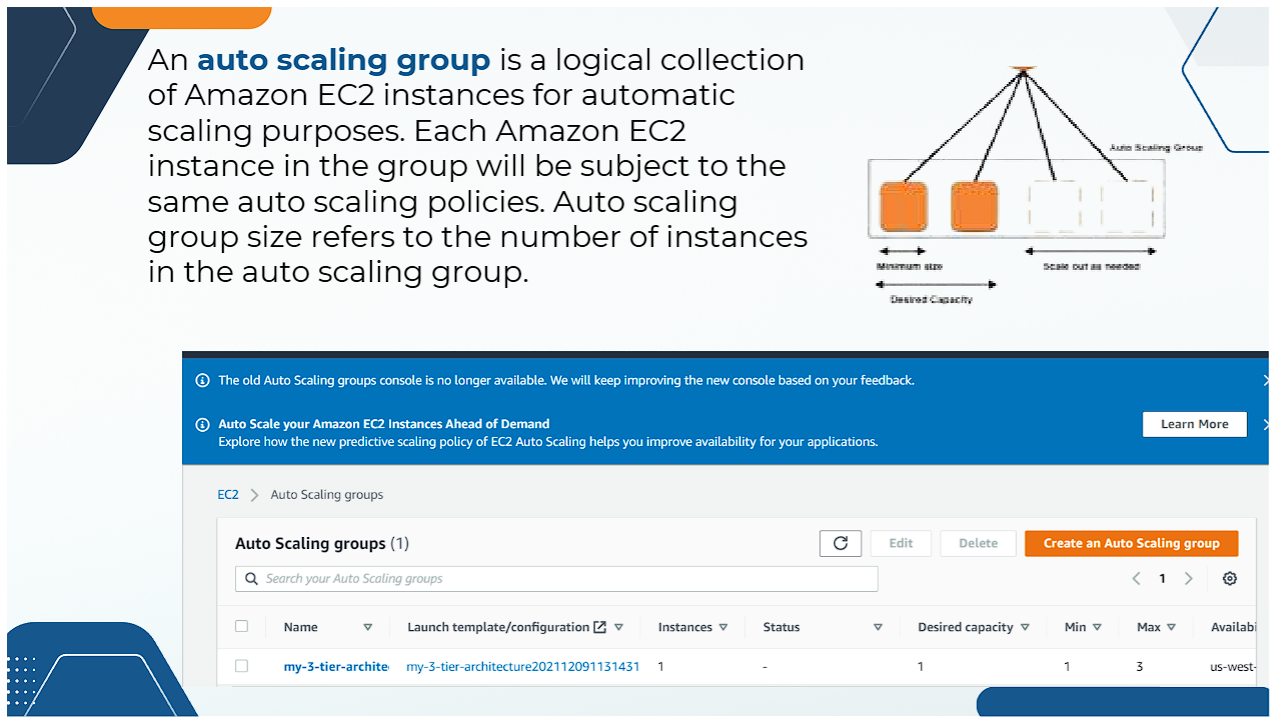
Figure 24: Auto Scaling Group (ASG) Configured for Dynamic Scaling
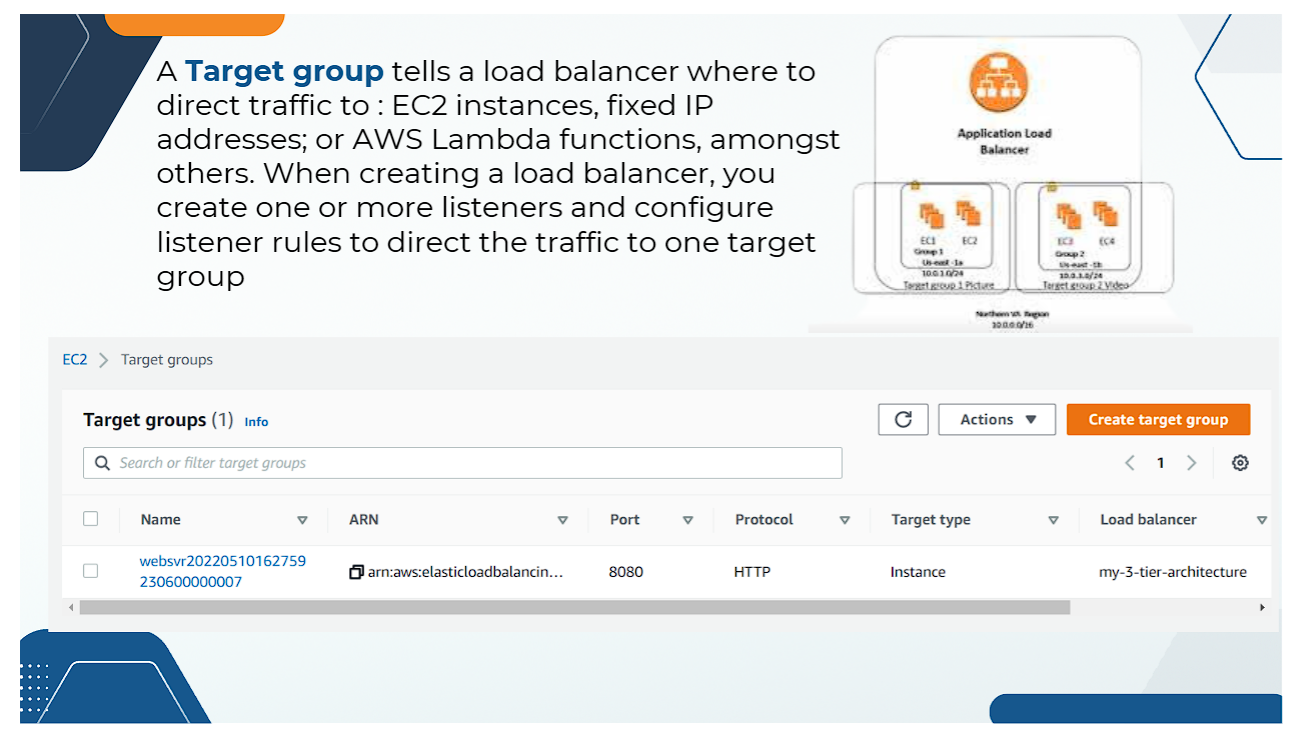
Figure 25: ALB Target Group Routing Traffic to Healthy Application Instances
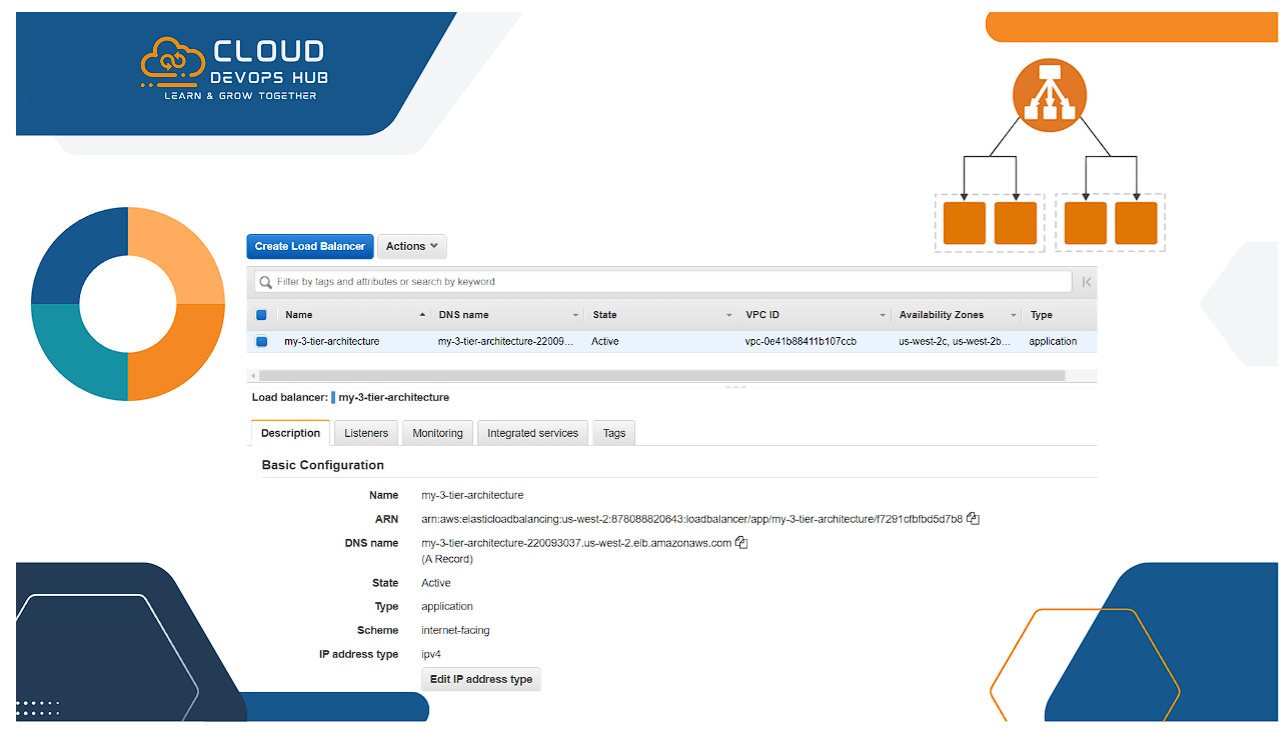
Figure 26: Application Load Balancer (ALB) Active DNS Name Configuration
5. Database Tier Verification (Amazon RDS MySQL)
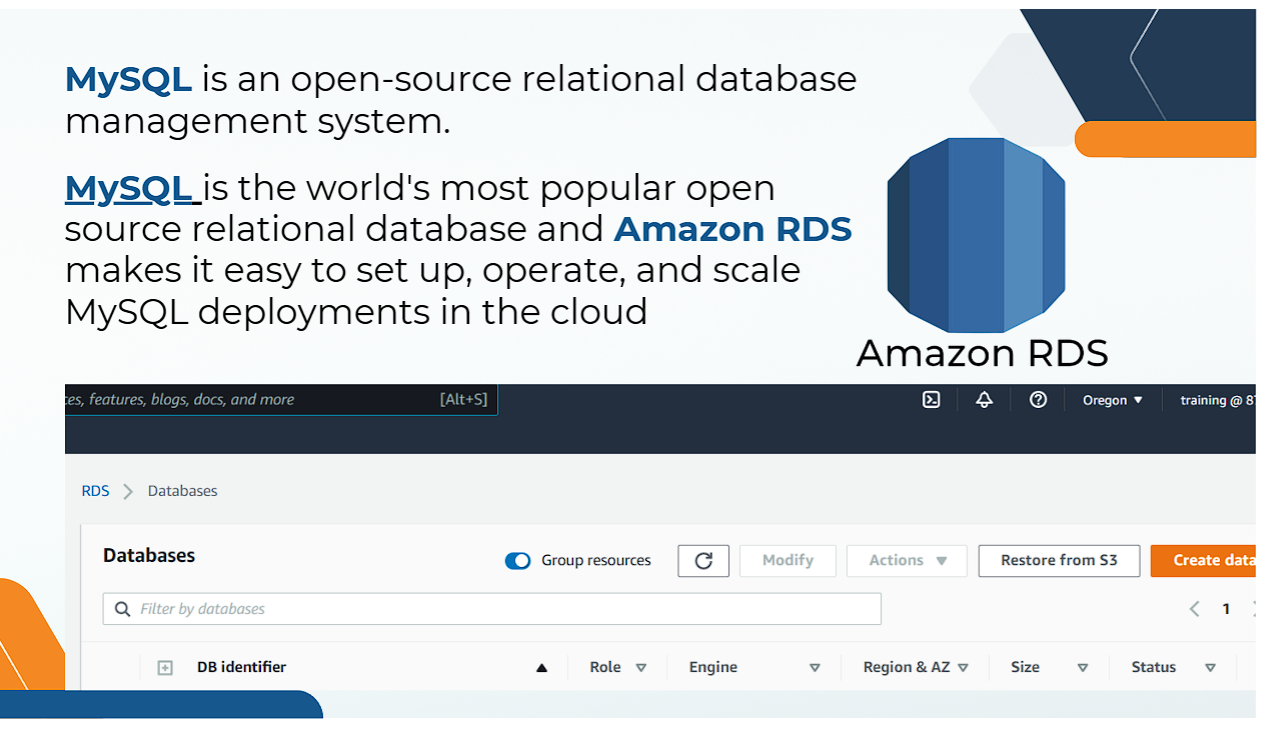
Figure 27: Amazon RDS MySQL Database Instance Provisioned in Private Subnet Group
🌐 Live Web Application Endpoint Verification
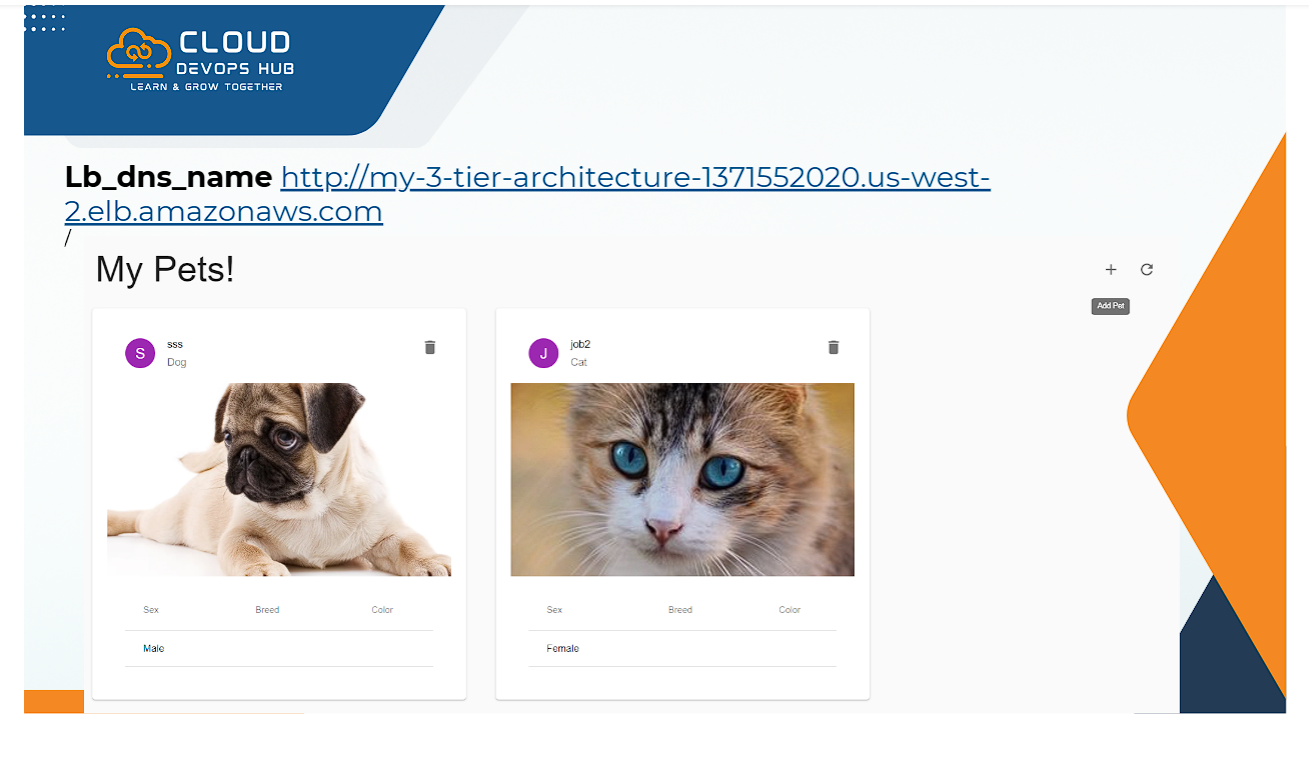
Figure 28: Accessing Live E-Commerce Application ("My Pets!") via Load Balancer DNS Endpoint
Copy the Load Balancer DNS Name output by Terraform (e.g. http://my-3-tier-architecture-1371552020.us-west-2.elb.amazonaws.com) and open it in your web browser. The 3-tier web application is up and running!
Verification Success: Traffic flows from your Browser ➔ Internet Gateway ➔ Public ALB ➔ Private App EC2 Instance (Auto Scaling Group) ➔ Private RDS MySQL Database, returning the live "My Pets!" store page.
🧹 Cloud Infrastructure Teardown (`terraform destroy`)
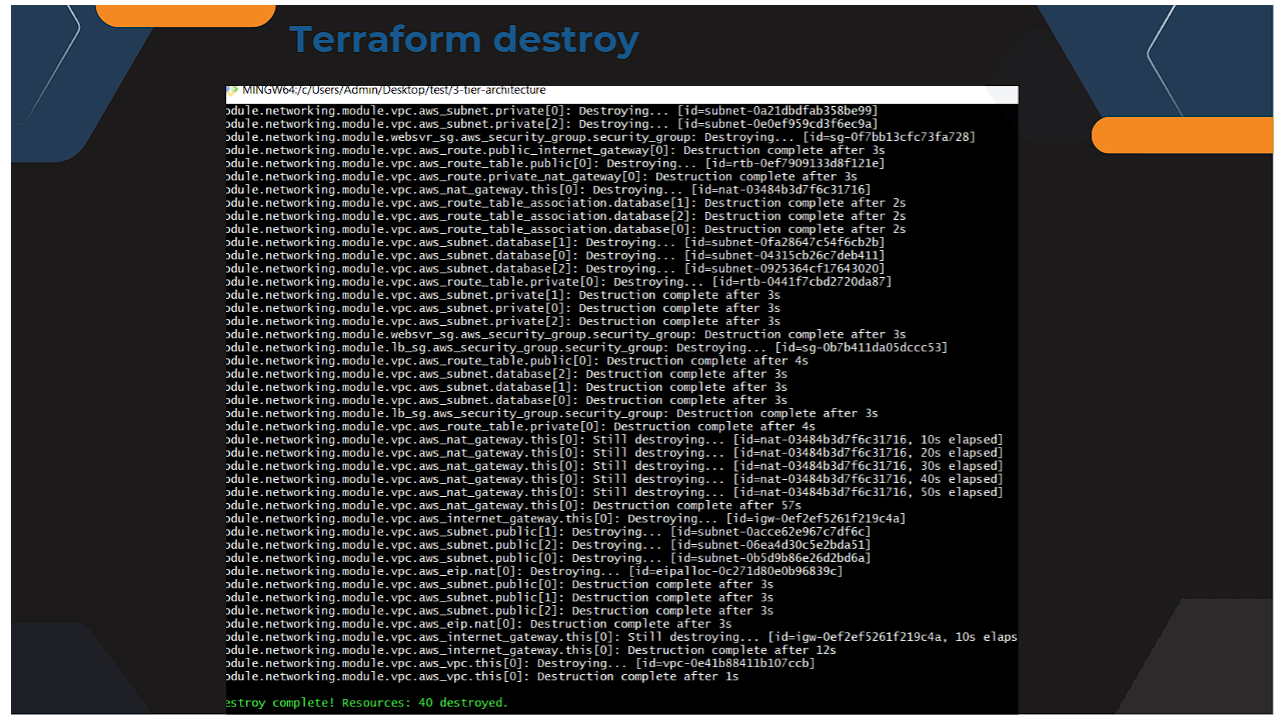
Figure 29: Terminal Log of `terraform destroy` Terminating All 40+ AWS Resources
terraform destroy --auto-approve
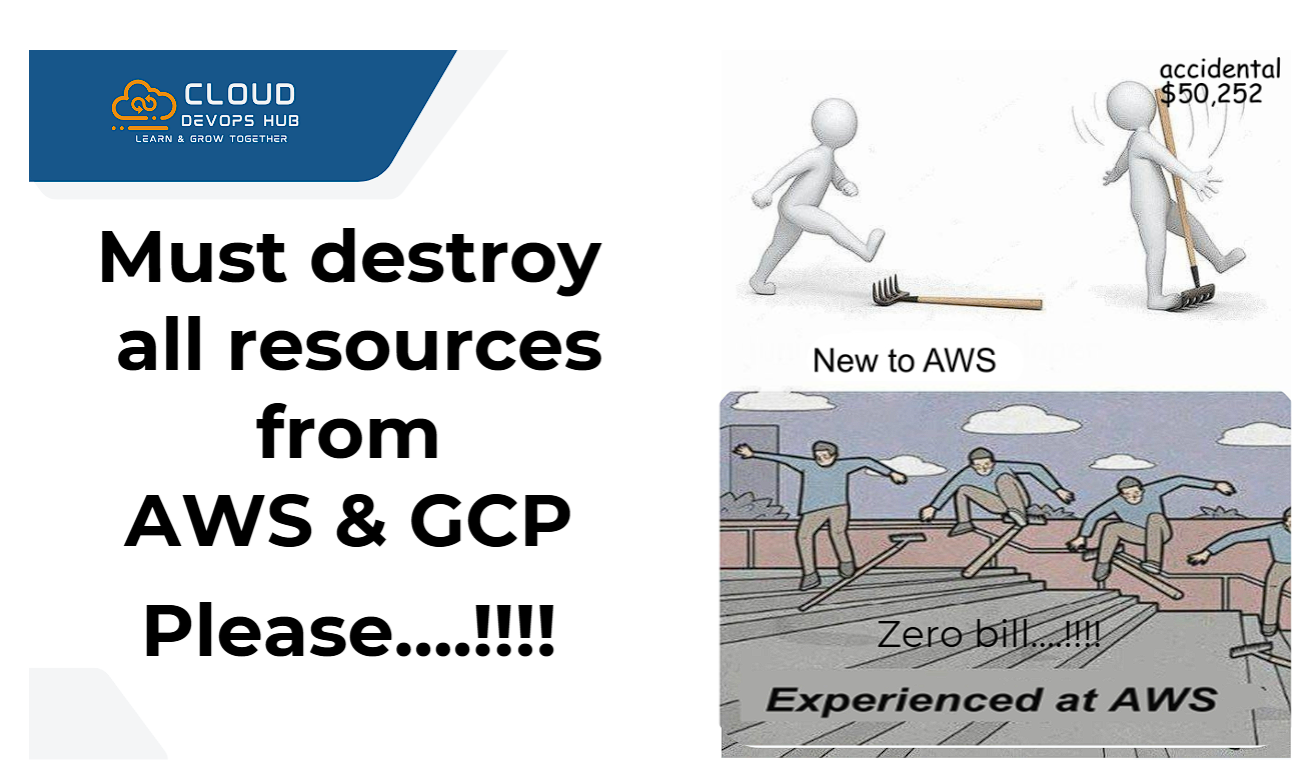
Figure 30: Cloud Cost Best Practice — Always Teardown Unused Infrastructure
⚠️ Critical Cloud Cost Notice:
Always execute terraform destroy after finishing your practice session or testing. Leaving 40+ resources (NAT Gateways, ALBs, RDS Multi-AZ DBs, Elastic IPs) running idle can accumulate accidental cloud bills (e.g., $50+ / month). Make teardown a standard habit!
💼 Resume Bullet Points & DevOps Engineer Responsibilities
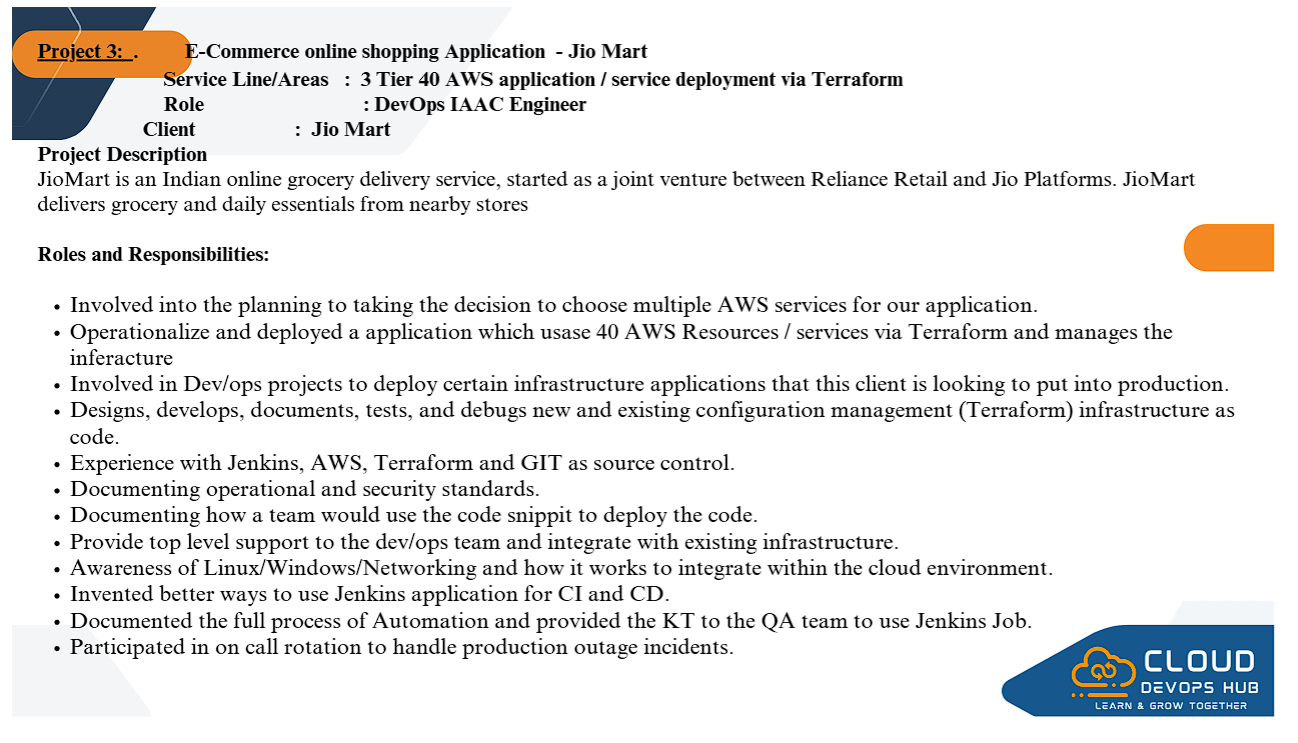
Figure 31: 3-Tier AWS Terraform Infrastructure DevOps Resume Points & Production Responsibilities
You can add these high-impact production bullet points to your resume based on this project:
- Architected and automated an end-to-end 3-Tier Enterprise Infrastructure on AWS provisioning 40+ AWS resources via Terraform (Infrastructure as Code - IaC).
- Designed a Multi-AZ Virtual Private Cloud (VPC) network across 3 Availability Zones with 9 subnets (Public, Private App, and Private DB subnets).
- Configured an Internet-Facing Application Load Balancer (ALB) and Auto Scaling Group (ASG) with EC2 Launch Templates for dynamic application scaling.
- Deployed a highly available Amazon RDS MySQL Relational Database in isolated private database subnets with Multi-AZ failover.
- Implemented a strict 3-tier Security Group Firewall hierarchy enforcing least-privilege traffic flow between Web, App, and Database tiers.
- Configured NAT Gateways with Elastic IPs enabling secure outbound internet connectivity for private application EC2 instances.
- Authored modular, reusable Terraform HCL configuration modules with remote backend state management and zero-downtime execution plans.
- Participated in 24/7 on-call production infrastructure incident management and disaster recovery automation.